
Website Release QA Checklist: Get a Clear Pass or Fail Before Every Launch
Most broken releases are not hard bugs; they are simple things nobody checked. A website release QA checklist, run every time with a clear pass or fail, catches them before your customers do.
 AivoPass Editorial TeamReviewed by our agent setup specialists
Updated
Reading time4 min

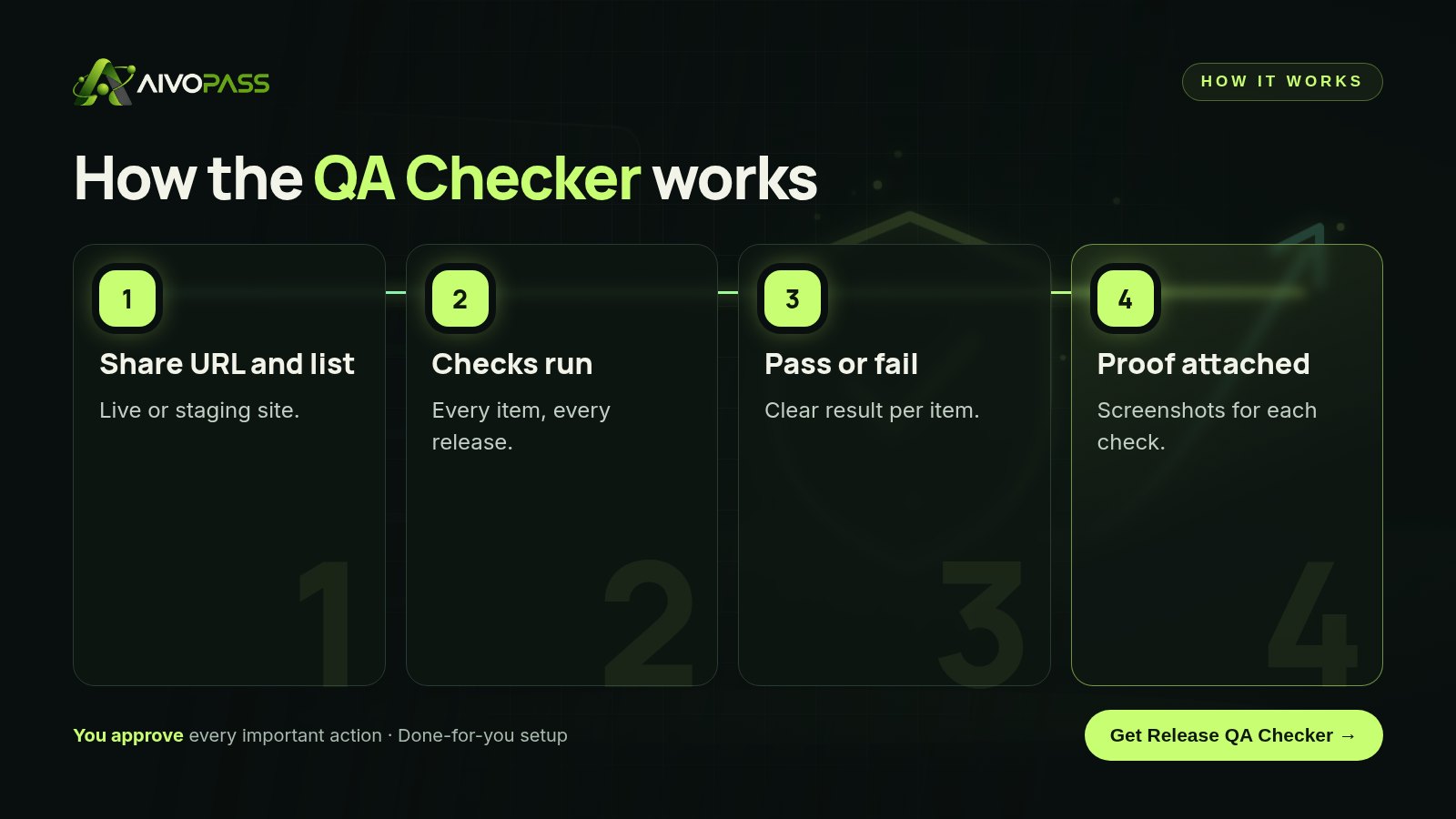
A website release QA checklist is a list of acceptance checks run before every launch, such as forms, checkout, mobile layout and key pages. The Release QA Checker runs your checklist on the live or staging site, gives a clear pass or fail for each item and attaches screenshots as proof, usually in about fifteen minutes.
The most embarrassing website failures are rarely complicated. A contact form that stopped sending, a checkout button hidden on mobile, a French page still showing last year’s hours. Each one would have been caught by a two-minute check that nobody had time to run. A website release QA checklist, run the same way before every launch, is the simple fix.
This article walks through the release-day mistakes that slip through most often, gives you a ready-to-use checklist and shows how the Release QA Checker runs it for you with a clear pass or fail and a screenshot for every item.
See the Release QA Checker Done-for-you setup · You approve every action
What is a website release QA checklist?
A website release QA checklist is a written set of acceptance checks, such as forms submit, pages load, checkout completes and layouts work on phones, that must pass before an update goes live. The Release QA Checker acts as your quality assurance step, running each check and recording the result with proof.
What the Release QA Checker does
- Runs your acceptance checklist: the exact items you care about, in the same order every time.
- Clear pass/fail per item: no vague notes, just a result you can act on.
- Screenshots as proof: visual evidence for every check, useful for clients and records.
- Works on live or staging sites: test before launch, then confirm after.
Release-day mistakes that slip through
- Forms that look fine but do not send. The page loads; the message never arrives.
- Checkout or booking broken on mobile. A button pushed off screen by a new banner.
- One language left behind. The English page is updated; the French version is not.
- Old links after a menu change. Important pages suddenly unreachable.
- Tracking or consent banners removed. A theme update quietly drops them.
- Only testing on the developer’s laptop. Real customers use phones and different browsers.
Before and after
| Release step | Manual click-around | With the Release QA Checker |
|---|---|---|
| What gets tested | Whatever someone remembers | Your full checklist |
| Result | “Looks fine to me” | Pass or fail for every item |
| Evidence | None | Screenshot per check |
| Consistency | Varies by person and deadline | Identical every release |
| Time | Unpredictable | About fifteen minutes |

A starter website release QA checklist
| Area | Check | Pass when |
|---|---|---|
| Home page | Loads on desktop and phone | No errors, key sections visible |
| Contact form | Submit a test message | Confirmation shown and message received |
| Checkout or booking | Complete a test order or booking | Confirmation page and email arrive |
| Navigation | Click every main menu link | No missing pages |
| Languages | Open English and French versions | Both updated and linked |
| Login | Sign in and sign out | Works without errors |
| Consent and tracking | Check banner and basic tracking | Present and working |
Who it is for
Agencies shipping client sites
A web agency in Toronto runs the checker before handing every update to a client. The screenshot report goes straight into the handover email, so clients see exactly what was tested.
Developers working alone
A freelance developer in Halifax used to test late at night after deploying. Now the checklist runs on staging first, and she only launches on a full pass.
Product teams with frequent releases
A software company in Montreal releases weekly. A consistent pass or fail on its core flows means fewer Monday-morning support tickets.
Results to expect
These figures are typical estimates, not guarantees. The checker covers what is on your checklist, so a good list matters, and some issues can still appear in situations a checklist does not cover.
How to keep your checklist useful
A checklist only protects you if it reflects what matters today. Review it every few months, and add an item whenever a real problem slips through, so the same mistake cannot happen twice. Keep each check short and specific, with a clear pass condition anyone could verify. Put the flows that earn you money or bring in leads at the top, so the most important results are the first ones you read.
Safety and control
- It follows only the checks you approve.
- Test submissions use test details you provide.
- It reports; it never deploys, edits or rolls back your site.
- Run it on staging first to keep live customers unaffected.
- Access can be removed at any time.
Release QA Checker vs alternatives
| Option | Setup effort | Consistency | Proof for each check |
|---|---|---|---|
| Manual click-around | None | Low | No |
| Written checklist done by hand | Low | Medium, skipped when rushed | Rarely |
| Full automated test suite | High, needs developers | High | Logs, not screenshots |
| Release QA Checker | Low | High | Yes, screenshots |
How setup works
- Choose the Release QA Checker and check out securely.
- Share your site URL and your checklist, or let us help write one.
- We run a test release check and review the results with you.
- Use it before every launch, usually starting within a few business days.
Related agents
Catch code problems overnight, get help building features or track site health monthly. Browse all AI engineering agents or read more engineering guides.
The bottom line
Customers should never be your testers. A website release QA checklist, run every time with a clear pass or fail, catches the simple failures that cause the most damage. The Release QA Checker makes that discipline fast, consistent and documented, so you can ship with confidence.
Get the Release QA Checker Clear pass or fail · Screenshots as proof
Frequently asked questions
What is a website release QA checklist?
It is a list of acceptance checks you run before every launch, such as forms, checkout, logins and mobile layout. The Release QA Checker runs it for you and reports pass or fail for each item.
Will it change anything on my site?
No. It follows your checklist and reports results. Any fixes are made by you or your developers. If a check involves submitting a test form, it uses test details you approve.
What do I need to provide?
Your site URL, live or staging, and your acceptance checklist. If you do not have one, we help you write a first version.
How long does a check take?
Typically around fifteen minutes per release, depending on how many items are on your checklist.
Who is it for?
Developers, agencies and product teams who ship website or web app updates regularly and want consistent, documented checks before each release.
See Release QA Checker in action.
Acts as your QA on the live site: runs your acceptance checklist and gives a clear pass or fail before every release.
We are the people who set up, connect and support AivoPass agents for businesses across Canada and beyond. Every guide is written from real setup work, reviewed by our specialists and updated when an agent changes.
- ✓ Done-for-you setup
- ✓ You approve every important action
- ✓ Secure PayPal checkout
- ✓ Built for Canadian businesses


