AI Assistant Plugin Ideas: 8 Use Cases That Bring Your API to New Customers
Customers increasingly ask AI assistants to get things done. Here are eight AI assistant plugin ideas that put your API where those requests happen.
 AivoPass Editorial TeamReviewed by our agent setup specialists
Updated
Reading time4 min

AI assistant plugin ideas work best when they answer a frequent customer request with your own data: checking availability, tracking an order, finding listings or looking up an account. Start with one read-only, high-value action. API-to-Plugin Builder studies your API, builds the smallest working plugin, tests it locally first and then helps you publish it.
People are starting to ask AI assistants to do real tasks: find a table for four tonight, check where a parcel is, or show homes near a school. When your service is not available inside those assistants, the request goes to someone else. The good news is that most SaaS and API companies already have what they need. They just need the right AI assistant plugin ideas and a small, tested first version.
Below are eight practical plugin ideas by industry, a simple way to pick your first one and a real-style example. You will also see how API-to-Plugin Builder studies your API, builds the smallest plugin that works, tests it locally and then guides you through publishing.
See API-to-Plugin Builder Done-for-you setup · You approve every action
What are AI assistant plugin ideas?
AI assistant plugin ideas are specific customer tasks that an assistant could complete using your API, such as checking availability, tracking an order or searching a catalogue. The best ideas match frequent requests, use data you already have and can start read-only. Each one becomes a small plugin that puts your service in front of customers inside the assistants they already use.
8 plugin ideas by industry
| Plugin idea | Industry | Example customer request |
|---|---|---|
| Availability and booking | Clinics, salons, restaurants | “Find me a cleaning appointment next Tuesday afternoon.” |
| Order and inventory lookup | Retail and wholesale | “Is this jacket in stock in medium?” |
| Listings search | Real estate and rentals | “Show two-bedroom rentals near downtown Halifax.” |
| Event and travel search | Events, tours, travel | “What tours are available in Quebec City this weekend?” |
| Account and invoice lookup | Accounting and billing software | “Which invoices are still unpaid this quarter?” |
| Shipment tracking | Logistics and delivery | “Where is my delivery and when will it arrive?” |
| Help centre answers | Any SaaS product | “How do I add a user to my account?” |
| Local service directory | Marketplaces and associations | “Find a licensed electrician near Winnipeg.” |
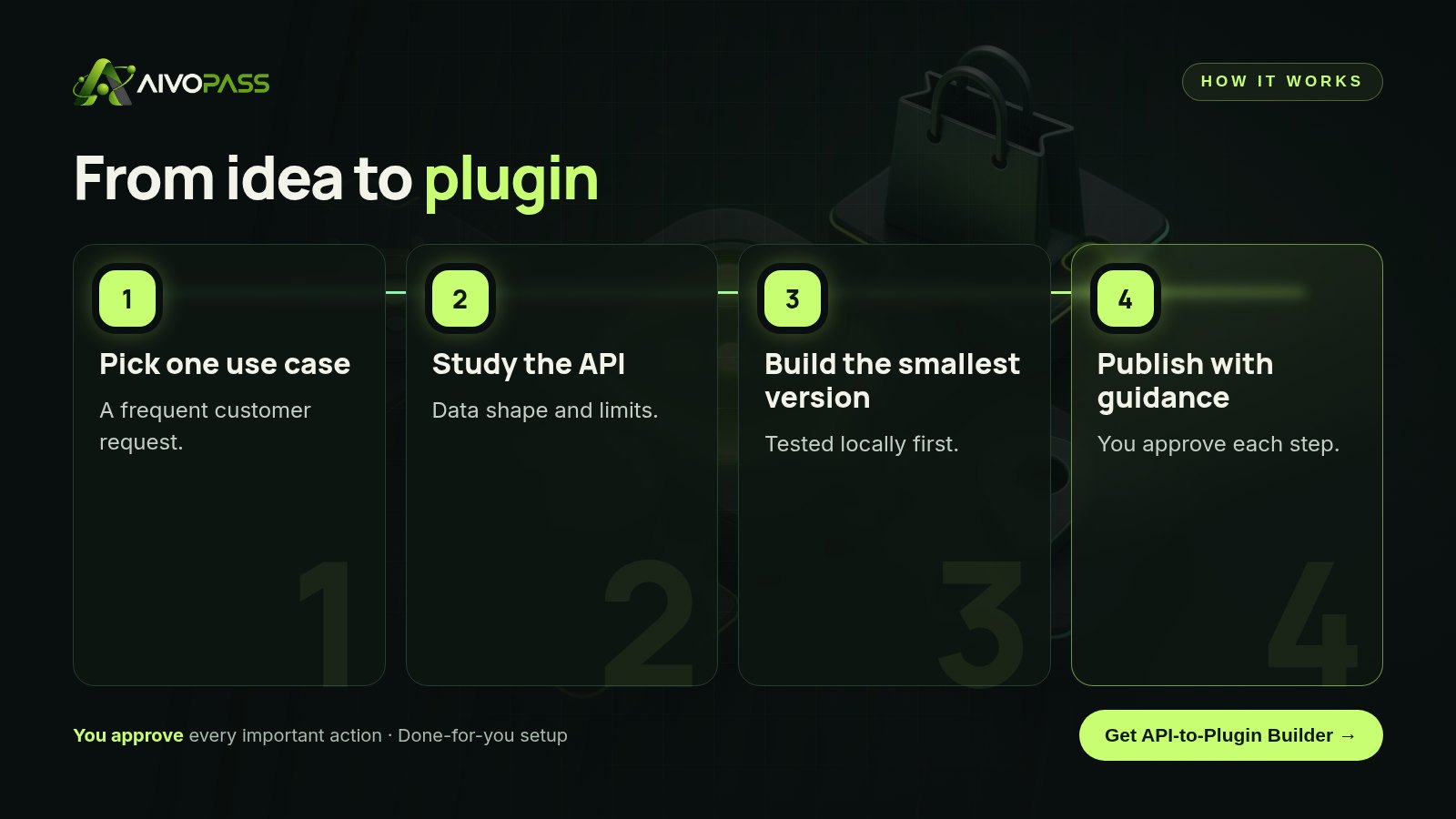
How API-to-Plugin Builder works
- Studies the API and its data shape before writing anything.
- Builds a minimal working plugin around one use case.
- Tests everything locally first.
- Guides publishing to plugin directories when you are ready.
Before and after
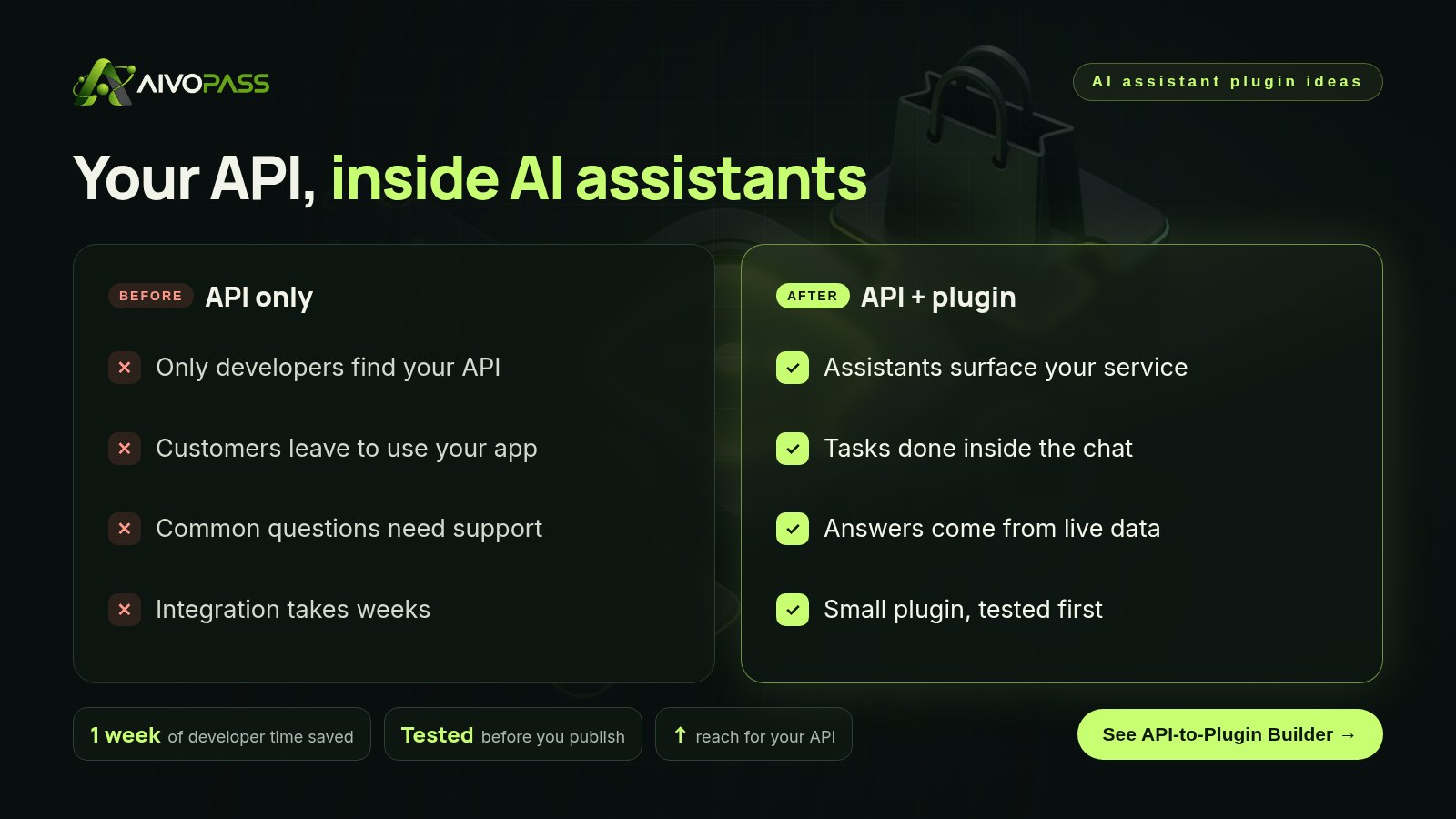
| Moment | API only | With an AI assistant plugin |
|---|---|---|
| Customer asks an assistant for help | Your service is not an option | Your plugin answers with live data |
| Common support question | Ticket to your team | Answered from your help content |
| New integration project | Weeks of developer time | Small plugin built and tested first |
| Discovery | Only through your website | Also inside AI assistants |
How to choose your first plugin
- List the five requests customers make most often.
- Keep the ones your API can already answer.
- Choose one that can start read-only.
- Check the data is clean and well described.
- Define one success measure, such as plugin uses or sign-ups from the plugin.
Start small. One reliable, read-only plugin earns trust faster than a large plugin that tries to do everything.
Who it is for
SaaS companies
A booking software company in Montreal wants clinics’ patients to find appointments from inside AI assistants.
API-first businesses
A logistics API provider in Mississauga wants shipment tracking available wherever customers ask.
Developers and agencies
A development agency in Vancouver builds plugins for clients and wants a faster, tested process.
Results to expect
These figures are typical estimates, not guarantees. Results depend on your API, data quality and the plugin directories you choose.
Example: a Montreal booking software company
A small team in Montreal sells appointment software to dental and physiotherapy clinics. They noticed patients asking AI assistants to find appointments, and the assistants could not see their clinics’ calendars. They listed their most frequent requests and chose “check available times” as a read-only first plugin. API-to-Plugin Builder studied their scheduling API, flagged two fields with unclear names, built a minimal plugin and tested it locally with sample clinics in English and French. After the team approved, it guided them through publishing. Booking actions were planned as a second step once the first plugin proved reliable.
Mistakes to avoid
- Starting with the most complex action instead of a simple lookup.
- Exposing more data than the use case needs.
- Skipping local testing.
- Leaving API fields and errors poorly described.
- Publishing without a way to measure use.
Safety and control
- Built with test credentials, not production access.
- Tested locally before anything is published.
- Starts with the minimum data and actions needed.
- You approve publishing and can remove access at any time.
API-to-Plugin Builder vs alternatives
| Option | Speed | Testing | Your effort |
|---|---|---|---|
| Do nothing | None | None | None, but missed reach |
| Build in-house | Slow if the team is busy | Depends on the team | High |
| Hire an agency | Medium | Varies | Briefs and meetings |
| API-to-Plugin Builder | Fast, smallest version first | Local tests first | Answering questions and approving |
How setup works
- Choose API-to-Plugin Builder and check out securely.
- Share your API documentation, test credentials and the use case you want first.
- We build the minimal plugin and test it locally with you.
- Go live: publish with guidance, then add the next use case.
Related agents
Pair it with a software engineer agent, a release QA checker or a hands-off engineering supervisor. Browse all engineering AI agents or read more engineering guides.
The bottom line
Your API can already answer questions customers are asking AI assistants. Pick one frequent request, build a small plugin and test it well. API-to-Plugin Builder handles the build and testing, so your service shows up where customers now ask for help.
Get API-to-Plugin Builder Studied · Built small · Tested first
Frequently asked questions
What is an AI assistant plugin?
It is a small connector that lets an AI assistant use your service on a customer’s behalf, for example to check availability, look up an order or search listings, using your API.
What makes a good first plugin idea?
A request customers make often, that can be answered from your data, and that starts read-only, such as checking status or availability, before adding actions like booking.
Which industries benefit most?
Any business with a useful API: booking and scheduling, retail and inventory, real estate, travel and events, accounting, logistics, support knowledge bases and local service directories.
Is the plugin tested before it goes live?
Yes. API-to-Plugin Builder tests everything locally first and only helps you publish when you approve.
What does it need from us?
Your API documentation and test credentials. Production access is not needed to build and test the first version.
See API-to-Plugin Builder in action.
Wraps an API into a plugin that AI assistants can use: studies the data first, builds the smallest version that works, tests it locally, then helps you publish it.
We are the people who set up, connect and support AivoPass agents for businesses across Canada and beyond. Every guide is written from real setup work, reviewed by our specialists and updated when an agent changes.
- ✓ Done-for-you setup
- ✓ You approve every important action
- ✓ Secure PayPal checkout
- ✓ Built for Canadian businesses