Calendar Management for Executives: Rules That Protect Your Focus Time
If your calendar runs your week, your priorities wait. These calendar management rules for executives protect focus time and make every meeting worth it.
 AivoPass Editorial TeamReviewed by our agent setup specialists
Updated
Reading time5 min

Calendar management for executives means setting clear rules for how time is used: protected focus blocks, shorter default meetings, buffers, required agendas, prep time and a weekly review. Executive Assistant applies those rules day to day, books rooms, prepares meetings, checks schedules against your sheets and avoids double bookings, with you approving anything important.
Most executives do not choose their week. It is chosen for them, one invitation at a time. By Wednesday the strategic work has moved to the evening and the important meeting gets five minutes of preparation in the hallway. Good calendar management for executives is not about squeezing in more. It is about rules that decide what gets in and what is protected.
Below are nine calendar rules, an ideal week template and a Friday review checklist. You will also see how Executive Assistant applies those rules every day, handles meeting requests and room bookings, prepares meetings and keeps the schedule free of double bookings, with you approving the important calls.
See Executive Assistant Done-for-you setup · You approve every action
What is calendar management for executives?
Calendar management for executives is a set of agreed rules for how a leader’s time is spent, plus someone who applies them every day. It protects focus time, keeps meetings short and purposeful, adds buffers and preparation and reviews the coming week before it starts. The calendar becomes a plan instead of a list of interruptions.
Nine calendar rules that work
- Block focus time first: two to four longer blocks each week, booked before anything else.
- Keep one meeting-free morning: for thinking, writing or planning.
- Shorten defaults: 25 or 50 minutes instead of 30 or 60.
- Add buffers: ten minutes between meetings and travel time where needed.
- No agenda, no meeting: every request explains the goal.
- Batch similar meetings: one-to-ones on one afternoon, for example.
- Check time zones: especially across Vancouver, Toronto, Halifax and overseas.
- Schedule prep: short prep blocks before board, investor and hiring meetings.
- Protect personal dates: family events, birthdays and anniversaries go in first.
What Executive Assistant does
- Meeting room and calendar management within your rules.
- Interview and meeting prep, with notes ready beforehand.
- Leadership outreach drafts for your review.
- Birthday and anniversary calendars loaded and kept current.
- Schedule checks against your team sheets and chat channels kept organised.
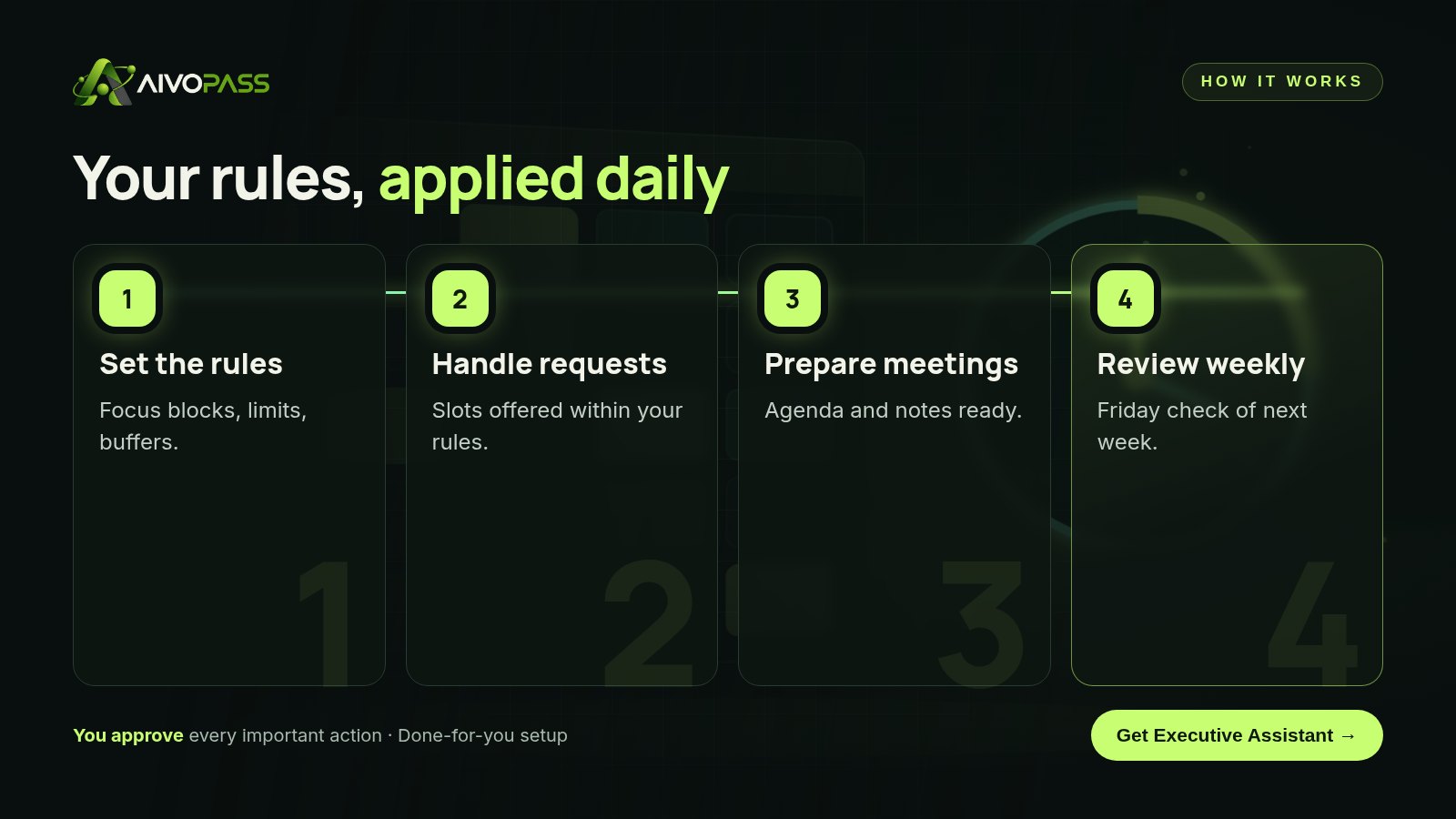
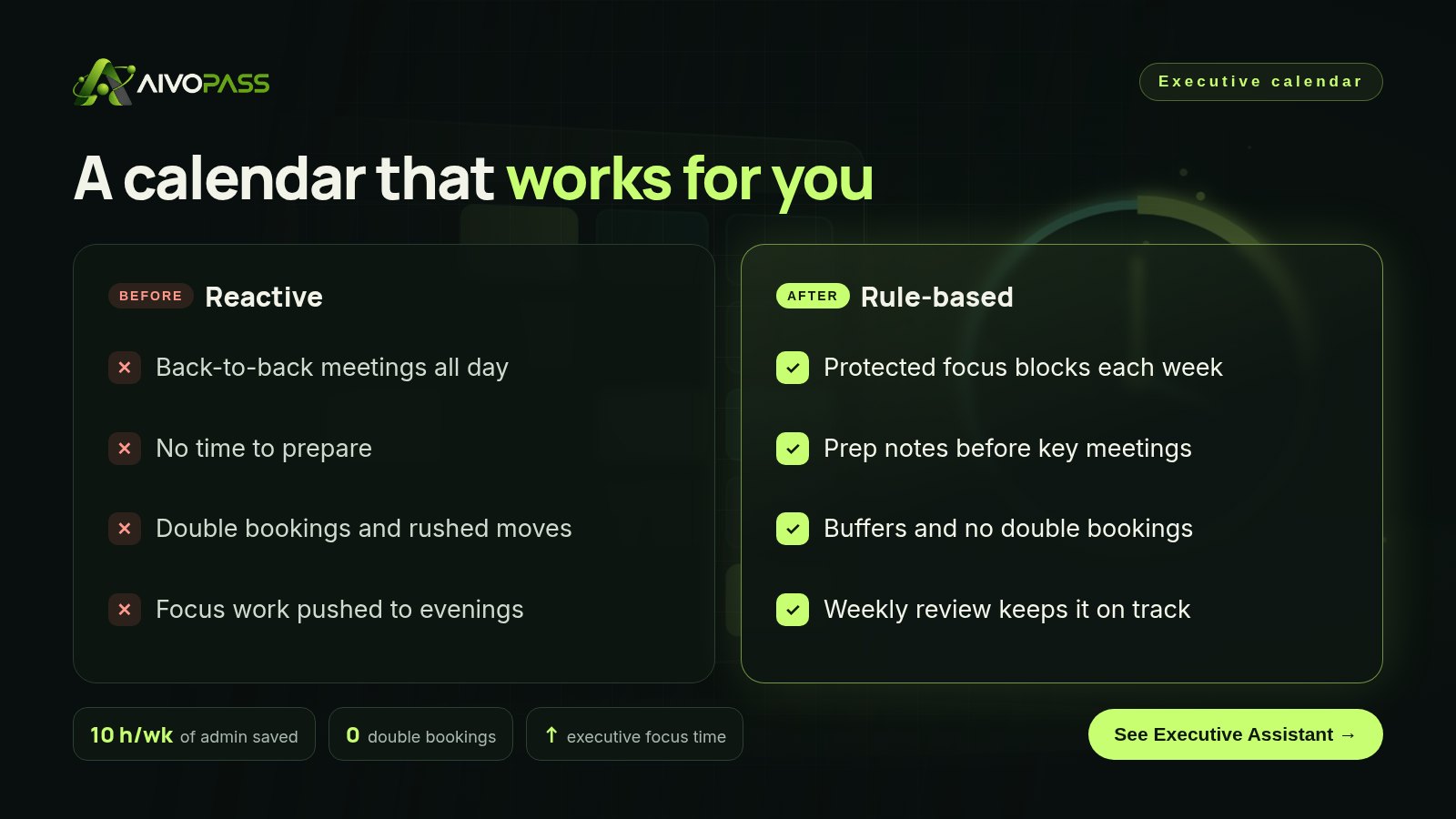
Before and after clear calendar rules
| Moment | Reactive calendar | With Executive Assistant |
|---|---|---|
| A meeting request arrives | Accepted wherever there is a gap | Slot offered within your rules |
| Key meeting | Prepared in the hallway | Prep notes and agenda ready |
| Room booking | Clash discovered on the day | Booked and checked in advance |
| Next week | A surprise on Monday | Reviewed on Friday |
An ideal week template
| Day | Morning | Afternoon |
|---|---|---|
| Monday | Leadership meeting and priorities | One-to-ones |
| Tuesday | Focus block | Customer and partner calls |
| Wednesday | Meeting-free thinking time | Hiring and interviews |
| Thursday | Focus block | Internal reviews |
| Friday | Admin and approvals | Weekly review and planning |
Who it is for
Founders and CEOs
A founder in Toronto spends every day in meetings and does strategy at midnight.
Executive assistants who need support
An executive assistant in Calgary supports three leaders and wants the repetitive scheduling handled.
Leaders of distributed teams
A managing director in Halifax works with teams in Vancouver and Europe and needs time zones handled correctly.
Results to expect
These figures are typical estimates, not guarantees. Results depend on your role, team and how strictly the rules are kept.
A Friday calendar review checklist
- Are focus blocks still on next week’s calendar?
- Does every meeting have a clear goal and the right people?
- Is preparation booked before the important ones?
- Are there buffers around travel and back-to-back calls?
- Are birthdays, anniversaries and personal events protected?
- Which meetings can be shortened, combined or declined?
Example: a Toronto founder
The founder of a growing logistics company had thirty-two meetings in a typical week and no time to plan. She wrote down five rules: two morning focus blocks, a meeting-free Wednesday morning, 25-minute defaults, an agenda for every request and prep before investor calls. Executive Assistant began offering slots only within those rules, booked rooms, pulled prep notes from email and shared documents and sent her a Friday summary of the week ahead. Anything from the board or key customers came to her for a decision. After a month, the number of meetings dropped and she finished the hiring plan she had postponed for a quarter.
Mistakes to avoid
- Writing rules but letting everyone override them.
- Booking focus time only when the week is already full.
- Accepting meetings without a goal.
- Forgetting time zones for remote attendees.
- Never reviewing the week ahead.
Safety and control
- You approve anything important or outside your rules.
- It uses only the calendar, email and chat access the job needs.
- Outreach is drafted for your review, not sent on its own.
- Every action is visible in your calendar and inbox.
- You can pause it or remove access at any time.
Executive Assistant vs alternatives
| Option | Applies your rules daily | Meeting prep | Effort for you |
|---|---|---|---|
| Managing it yourself | When you remember | Rarely | Hours every week |
| Shared booking links | Partly | No | Low, but no judgement |
| Part-time human assistant | Yes, during their hours | Yes | Hiring and handover |
| Executive Assistant agent | Yes, every day | Yes | Approving key decisions |
How setup works
- Choose Executive Assistant and check out securely.
- Tell us your calendar rules, key people and preferences.
- We connect your calendar, email and chat and test with real requests.
- Go live: rules applied daily, with a Friday review of the week ahead.
Related agents
Add an office operations desk, an event request desk or a custom agent designer for a job of your own. Browse all operations AI agents or read more operations guides.
The bottom line
Your calendar is where your priorities become real. Write a few clear rules, protect focus and prep time and review the week every Friday. Executive Assistant keeps those rules working every day, so your best hours go to the work only you can do.
Get Executive Assistant Focus time protected · Meetings prepared · You approve what matters
Frequently asked questions
What is calendar management for executives?
It is the practice of setting and enforcing rules for how a leader's time is used, so focus work, key meetings and preparation fit into the week instead of being squeezed out.
How many hours of focus time should an executive protect?
Many leaders aim for two to four longer blocks a week. The right amount depends on your role, but it should be on the calendar, not left to chance.
Can Executive Assistant accept meetings for me?
It can offer slots and book within the rules you set. Anything outside those rules, or anything important, comes to you for approval first.
What tools does it need?
Your calendar, email and team chat, with access limited to what the job needs. You can remove access at any time.
Does it work across time zones?
Yes. It checks time zones when offering slots, which helps teams working across Canada, the US and overseas.
See Executive Assistant in action.
Executive support: books rooms, prepares interviews, handles leadership outreach, keeps chat channels organised, checks schedules against sheets and loads birthday and anniversary calendars.
We are the people who set up, connect and support AivoPass agents for businesses across Canada and beyond. Every guide is written from real setup work, reviewed by our specialists and updated when an agent changes.
- ✓ Done-for-you setup
- ✓ You approve every important action
- ✓ Secure PayPal checkout
- ✓ Built for Canadian businesses