
Software Subscription Audit Checklist: 12 Checks to Cut Wasted SaaS Spend
Software subscriptions pile up quietly, one card charge at a time. Use this 12-point software subscription audit checklist to find unused seats, duplicates and renewal traps.
 AivoPass Editorial TeamReviewed by our agent setup specialists
Updated
Reading time4 min

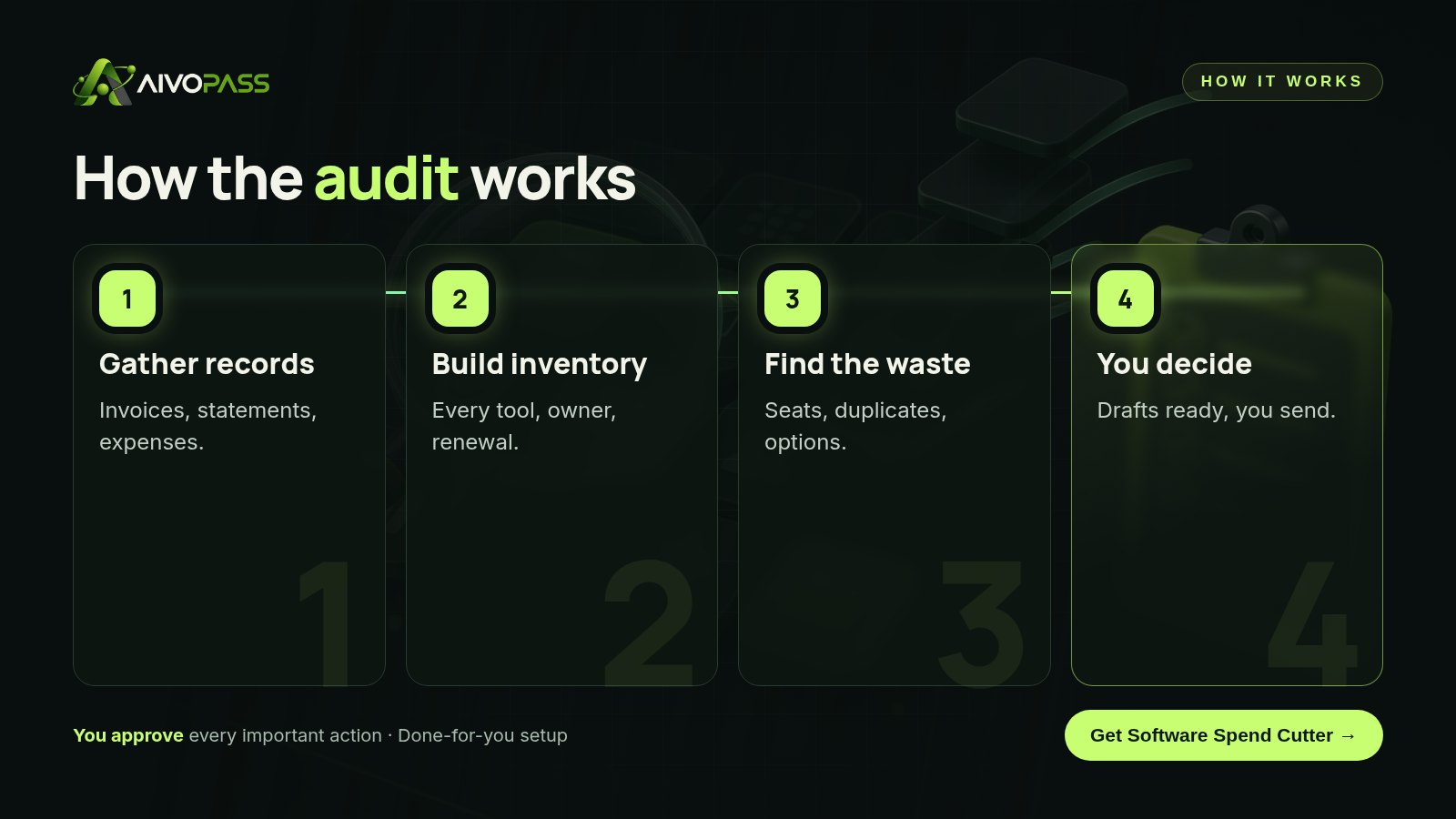
A software subscription audit lists every tool your business pays for, who uses it and when it renews, then removes unused seats, duplicate tools and plans you have outgrown. Software Spend Cutter builds that inventory from your invoices and statements, finds the waste with evidence and drafts negotiation emails you review. It never spends, signs or sends on its own.
Most businesses cannot answer a simple question: how many software tools do we pay for? Subscriptions get added one card charge at a time, seats stay active after people leave and annual plans renew while nobody is watching. A regular software subscription audit is the fastest way to stop the leak.
Use the 12-point checklist below to run your own audit. If you would rather not dig through statements yourself, Software Spend Cutter builds the inventory, finds the waste with evidence and drafts the negotiation emails, while you keep every decision.
See Software Spend Cutter Done-for-you setup · You approve every action
What is a software subscription audit?
A software subscription audit is a structured review of every tool your company pays for, covering the owner, the number of seats, actual usage and the renewal date. The goal is simple: keep what earns its place, right-size what is too big and remove what nobody uses.
The 12-point checklist
- List every subscription from card statements, invoices and expense reports, not from memory.
- Name an owner for each tool.
- Count seats vs active users. Former staff and contractors are the usual culprits.
- Find duplicates. Two video tools, three file-sharing tools, several survey apps.
- Check plan level. Are you paying for features no one uses?
- Record renewal dates and notice periods.
- Spot monthly vs annual mismatches. Stable tools may suit annual terms; uncertain ones may not.
- Review currency. For Canadian firms, tools billed in foreign currency can drift with exchange rates.
- Check free trials that quietly converted.
- Look for cheaper alternatives with evidence of feature fit.
- Prepare a negotiation note before each large renewal.
- Schedule the next audit so the work does not start from zero again.
How Software Spend Cutter helps
- Full inventory of software subscriptions from your records.
- Finds unused seats and duplicate tools, with the evidence behind each finding.
- Suggests cheaper alternatives only where the features fit.
- Drafts vendor negotiation emails for you to review and send.
Before and after
| Area | Without an audit | With Software Spend Cutter |
|---|---|---|
| Tool list | Scattered across cards and inboxes | One report of every subscription |
| Seats | Paid for people who left | Unused seats flagged |
| Duplicates | Several tools for one job | Overlaps listed with evidence |
| Renewals | Noticed after the charge | Known in advance, with a draft email ready |

Who it is for
Finance leads
A finance lead at a Winnipeg distribution company inherited dozens of card charges with vague names. A single report showed which tools belonged to which team and which ones were idle.
Founders
A founder of a fast-growing Toronto startup added tools as the team grew from five to forty. The audit found seats for people who had left and two overlapping project tools.
Operations managers
An operations manager at an Ottawa consultancy uses the renewal list to plan conversations with vendors well before notice periods end.
Results to expect
These figures are typical estimates, not guarantees. Savings depend on how many tools you use, your contracts and the decisions you make.
A worked example
A 35-person marketing agency in Montreal ran its first audit after a year of fast hiring. The inventory listed every tool and its owner. The findings were familiar: paid seats for several former freelancers, two design-review tools doing the same job, an annual plan for a tool only one person opened and a renewal coming up within weeks. The owner removed the idle seats, consolidated the review tools and used the drafted email to ask the vendor for better terms before renewing. Every action was the owner’s decision; the agent prepared the evidence and the drafts.
Safety and control
- It never spends, signs, cancels or sends on its own.
- Read-only access to the records you choose to share.
- Every finding comes with the evidence behind it.
- You can pause the agent or revoke access at any time.
Software Spend Cutter vs alternatives
| Option | Full inventory | Finds duplicates | Negotiation help |
|---|---|---|---|
| Spreadsheet audit by you | If you have the time | Sometimes | No |
| Spend-management software | Yes, once set up | Partly | Rarely |
| Outside consultant | Yes, once | Yes | Sometimes |
| Software Spend Cutter | Yes | Yes, with evidence | Yes, drafted for your review |
How setup works
- Choose Software Spend Cutter and check out securely.
- Tell us which records you use: expense tool, card statements or invoices.
- We connect read-only access and review the first inventory with you.
- Go live: you get the report, the findings and drafted emails to act on when you choose.
Related agents
Combine your audit with an agent that designs a lean set of AI agents, one that runs office operations or an executive assistant for admin work. Browse all operations AI agents or read more operations guides.
The bottom line
A software subscription audit is one of the simplest ways to find money your business is already losing. Use the checklist, or let Software Spend Cutter build the inventory and draft the negotiations, so you decide what to keep with the facts in front of you.
Get Software Spend Cutter Full inventory · Evidence-based findings · Nothing without your OK
Frequently asked questions
What is a software subscription audit?
It is a review of every software tool your business pays for: who owns it, who uses it, how many seats you have and when it renews, so you can remove waste before the next renewal.
How often should a small business audit its software?
A full audit once or twice a year, plus a quick check before each major renewal. Subscriptions change fast as people join and leave.
Will Software Spend Cutter cancel tools for me?
No. It never spends, signs, cancels or sends on its own. It gives you a report with evidence and drafts negotiation emails for your review.
What records does it need?
Your expense tool, or card statements and invoices. We set up the minimum access needed during onboarding.
Who is it for?
Finance leads, founders and operations managers who suspect they pay for more software than they use.
See Software Spend Cutter in action.
Lists every software subscription you pay for, finds unused seats, duplicates and cheaper alternatives, and drafts negotiation emails for your review. It never spends, signs or sends on its own.
We are the people who set up, connect and support AivoPass agents for businesses across Canada and beyond. Every guide is written from real setup work, reviewed by our specialists and updated when an agent changes.
- ✓ Done-for-you setup
- ✓ You approve every important action
- ✓ Secure PayPal checkout
- ✓ Built for Canadian businesses


