Personal Website vs Social Media: Why Consultants and Writers Need Both
Social media gives you reach; a personal website and newsletter give you something you own. Here is how they compare and how to keep your site fresh without the weekly chores.
 AivoPass Editorial TeamReviewed by our agent setup specialists
Updated
Reading time4 min

Social media is best for reach and conversation, while a personal website and newsletter are best for ownership, search visibility and trust, because you control them. Most consultants and writers need both: social posts that point to a site they own. Personal Website Manager keeps that site updated and backed up and sends your newsletter when new articles go out.
If you are a consultant, coach or writer, social media probably brings you most of your attention today. So why bother with a website? The personal website vs social media question is not about choosing one. It is about knowing what each is good at, and making sure you own the part that matters most.
This guide compares the two side by side, explains the simple hub-and-spoke model and shows how Personal Website Manager keeps your site and newsletter fresh, backed up and online, so the website you own never goes stale.
See Personal Website Manager Done-for-you setup · You approve every action
Personal website vs social media: the short answer
Social media is rented space: excellent for reach and conversation, but controlled by someone else’s rules and algorithms. A personal website and newsletter are owned space: slower to grow, but permanent, searchable and fully yours. Most personal brands do best with both, with social pointing to the site.
Side-by-side comparison
| Factor | Social media profile | Personal website and newsletter |
|---|---|---|
| Ownership | The platform controls it | You control it |
| Reach | High, but set by an algorithm | Grows through search and your list |
| Lifespan of content | Days | Years |
| Search engines and AI answers | Limited | Strong, with good articles |
| Trust with clients | Casual | Professional and credible |
| Direct contact with readers | Through the platform | Your own email list |
The hub-and-spoke model
Think of your website and newsletter as the hub, and each social profile as a spoke. You share ideas where people already are, then invite them back to a full article, a service page or a newsletter signup on your own site. If a platform changes its rules tomorrow, your hub and your reader list are still there.
What Personal Website Manager does
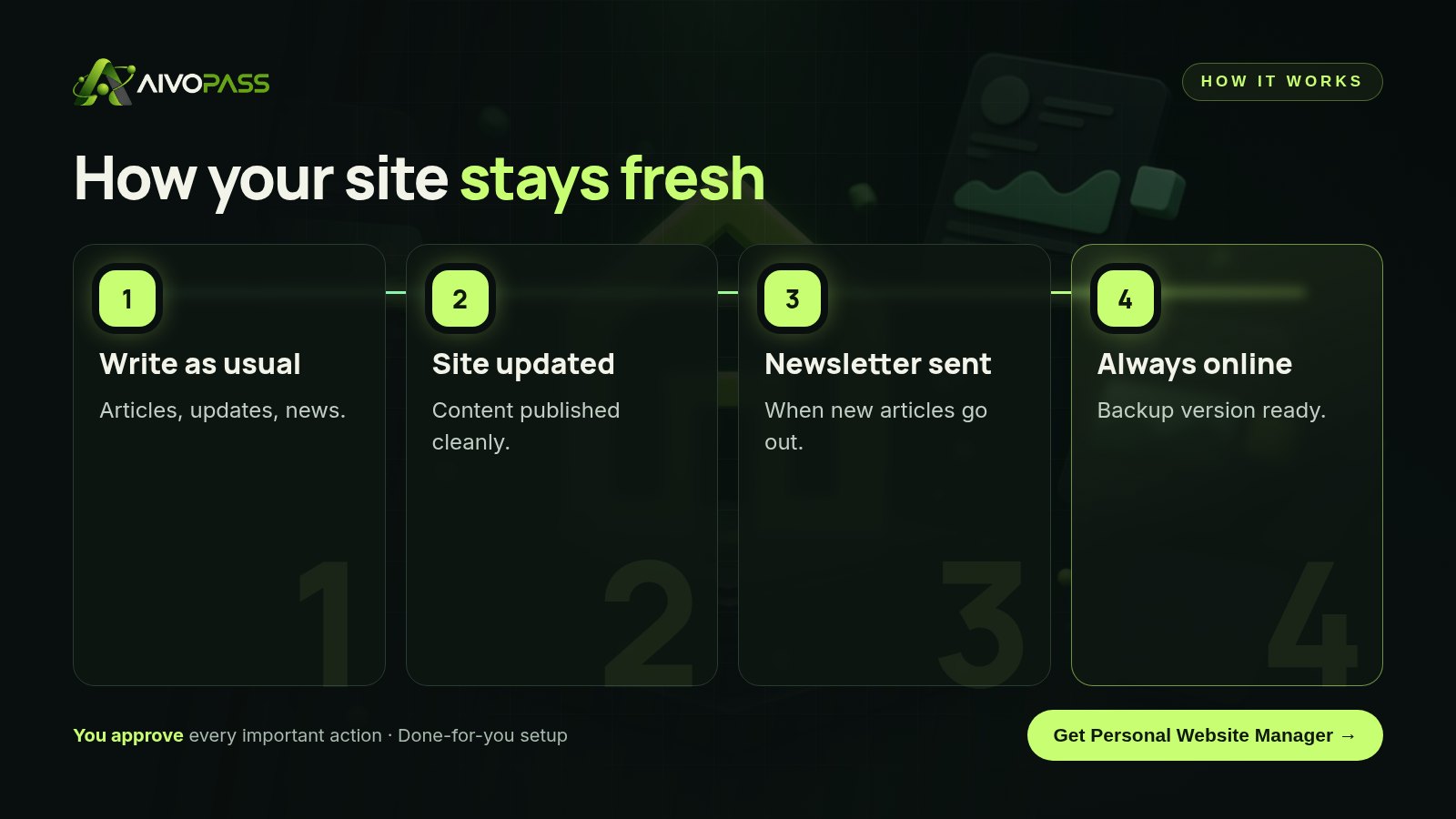
- Website updates and backups, so new content goes live cleanly.
- Newsletter sending on schedule when new articles are published.
- A public dashboard showing what has been published.
- A fallback version always online, even if the main site has a problem.
Before and after
| Area | Doing it yourself | With Personal Website Manager |
|---|---|---|
| Site updates | Postponed for months | Published as you write |
| Newsletter | Sent when you remember | Sent on schedule with new articles |
| Backups and uptime | Hoping nothing breaks | Fallback version always online |
| Your time | Evenings on site chores | About five hours a week saved, typical estimate |

Who it is for
Consultants
A management consultant in Ottawa posts short insights on social media several times a week. Each post now links to a full article on her own site, and her newsletter goes out automatically when a new one is published.
Writers
A Halifax writer had a website that still listed books from three years ago. With updates handled, her site now reflects her latest work and upcoming readings.
Coaches and speakers
A leadership coach in Calgary uses the public dashboard to show event organizers his latest talks and articles in one place.
Results to expect
These figures are typical estimates, not guarantees. Results depend on your hosting, your content and how often you publish.
A simple weekly routine
- Write one article on a question clients often ask.
- Publish it on your site; the update and backup are handled.
- Newsletter goes out to your readers automatically.
- Share two or three social posts during the week that link back to the article.
- Reply to comments on social, and invite deeper conversations by email.
Mistakes to avoid
- Building your whole audience on one platform with no email list.
- Letting the website show old services, old projects or old photos for years.
- Posting full articles only on social, where they disappear in days.
- Sending a newsletter only when you remember, so readers forget who you are.
Safety and control
- Access limited to your hosting and newsletter tool.
- Backups and a fallback version protect your site.
- Your newsletter list stays yours, in your own tool.
- You can pause the agent or revoke access at any time.
Personal Website Manager vs alternatives
| Option | Keeps site fresh | Newsletter on schedule | Effort for you |
|---|---|---|---|
| Social media only | No site to keep | No list of your own | Low, but no ownership |
| DIY website upkeep | When you find time | When you remember | High |
| Freelance web developer | On request | Rarely included | Medium |
| Personal Website Manager | Yes | Yes | Low |
How setup works
- Choose Personal Website Manager and check out securely.
- Tell us about your site, newsletter tool and publishing rhythm.
- We connect your hosting and newsletter and set up backups and the fallback version.
- Go live: your site stays fresh and your newsletter goes out with every new article.
Related agents
Add a daily personal briefing, an agent that makes your writing sound natural or one that creates profile images and icons. Browse all personal AI agents or read more personal productivity guides.
The bottom line
In the personal website vs social media debate, the winner is using both well: social for reach, your own site and newsletter for ownership and trust. Personal Website Manager keeps the part you own fresh and online, so every post you share has a strong home to point to.
Get Personal Website Manager Site updates · Newsletter on schedule · Always online
Frequently asked questions
Do I still need a personal website if I am active on social media?
Yes, for most consultants and writers. Social media is great for reach, but a website and newsletter give you ownership, search visibility and a direct line to readers that no platform change can take away.
What is the hub-and-spoke model?
Your website and newsletter are the hub you own. Social profiles are the spokes that bring people to it. Each social post points back to an article, page or signup on your site.
What does Personal Website Manager do?
It updates your website content, keeps a backup version live, publishes a public dashboard and sends your newsletter when new articles go out.
What do I need to provide?
Access to your website hosting and newsletter tool, plus your content. We set up the connections during onboarding.
Who is it for?
Writers, consultants and personal brands who want a website and newsletter that stay current without weekly chores.
See Personal Website Manager in action.
Runs your personal website and newsletter: updates content, keeps a backup version live, publishes a public dashboard and sends your newsletter when new articles go out.
We are the people who set up, connect and support AivoPass agents for businesses across Canada and beyond. Every guide is written from real setup work, reviewed by our specialists and updated when an agent changes.
- ✓ Done-for-you setup
- ✓ You approve every important action
- ✓ Secure PayPal checkout
- ✓ Built for Canadian businesses