
How to Write a Landing Page Brief (Free Template Inside)
Most landing pages go wrong before anyone writes a word, because nobody agreed what the page is for. Here is how to write a landing page brief that gets you a focused page in days, not weeks.
 AivoPass Editorial TeamReviewed by our agent setup specialists
Updated
Reading time5 min

A landing page brief is a one-page plan that states the goal of the page, who it is for, the offer, the objections to answer, the proof, the sections and the single call to action. Website Operations Manager turns that brief into a new landing page, prepared for your review with screenshots, typically within about two days.
If you have ever asked a designer or developer to “just make a quick landing page” and then watched it take three weeks and six rounds of edits, the problem was probably not the people. It was the missing brief. Learning how to write a landing page brief is the fastest way to get a focused page that converts.
This guide gives you the eight parts of a good brief, a fill-in template, a worked example and the checks to run before launch. It also shows how Website Operations Manager turns a finished brief into a new landing page prepared for your review.
See Website Operations Manager Done-for-you setup · You approve every action
What is a landing page brief?
A landing page brief is a short planning document that defines what a single page must achieve, who it speaks to and what it needs to say, before design or copy starts. It keeps everyone aligned on one goal and makes reviews quicker, because feedback is checked against the brief instead of personal taste.
The eight parts of a good brief
- Goal: the one action you want visitors to take (book a call, request a quote, sign up).
- Audience: who arrives on the page and where they come from (ad, email, search).
- Offer: what they get and why it matters now.
- Objections: the three doubts that stop people saying yes.
- Proof: reviews, results, certifications or case notes you can actually show.
- Sections: the order of the page, from headline to final call to action.
- Call to action: one button text, repeated, not five competing links.
- Success measure: the number you will check after two weeks.
How Website Operations Manager helps
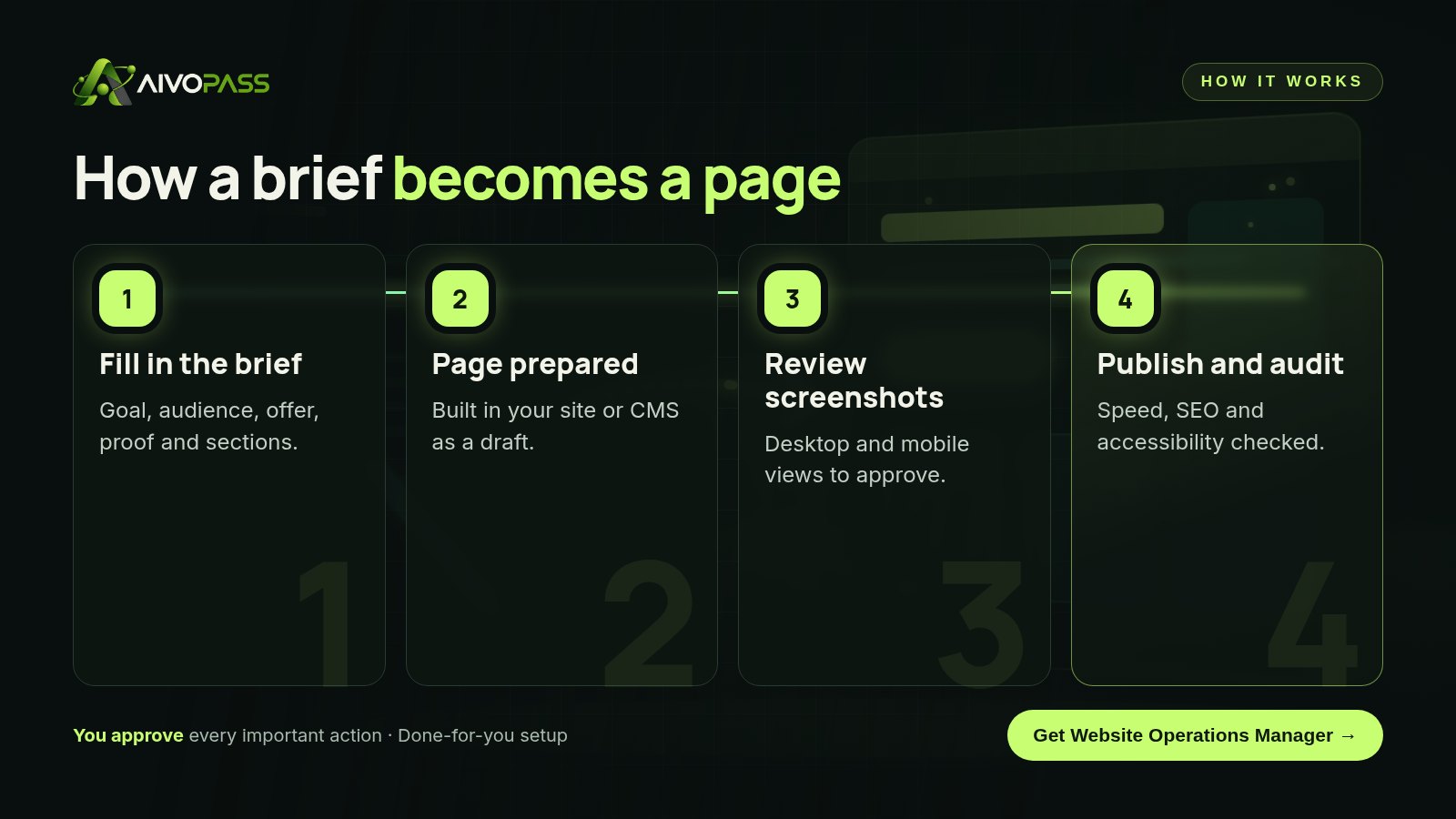
- New landing pages from a brief, built directly in your site or CMS as drafts.
- Website changes prepared for review, never pushed live without you.
- Full SEO, speed and accessibility audits before and after launch.
- Screenshots of every change on desktop and mobile.
Fill-in template
| Brief field | Question to answer | Your answer |
|---|---|---|
| Goal | What single action should a visitor take? | … |
| Audience | Who lands here and from which channel? | … |
| Offer | What do they get and why now? | … |
| Objections | What three doubts stop them? | … |
| Proof | What evidence can we show? | … |
| Sections | What is the order from top to bottom? | … |
| Call to action | What is the exact button text? | … |
| Success measure | Which number tells us it worked? | … |
Worked example: a renovation company
A kitchen renovation company in Vancouver wants more quote requests from its spring search campaign. Its brief says: goal, request an in-home estimate; audience, homeowners clicking a search ad for kitchen renovations; offer, a free design consultation booked this month; objections, budget surprises, timelines and mess; proof, before-and-after project photos and a written workmanship warranty; sections, headline, three project photos, the four-step process, warranty, questions, form; call to action, “Book my estimate”; success measure, estimate requests from ad visitors.
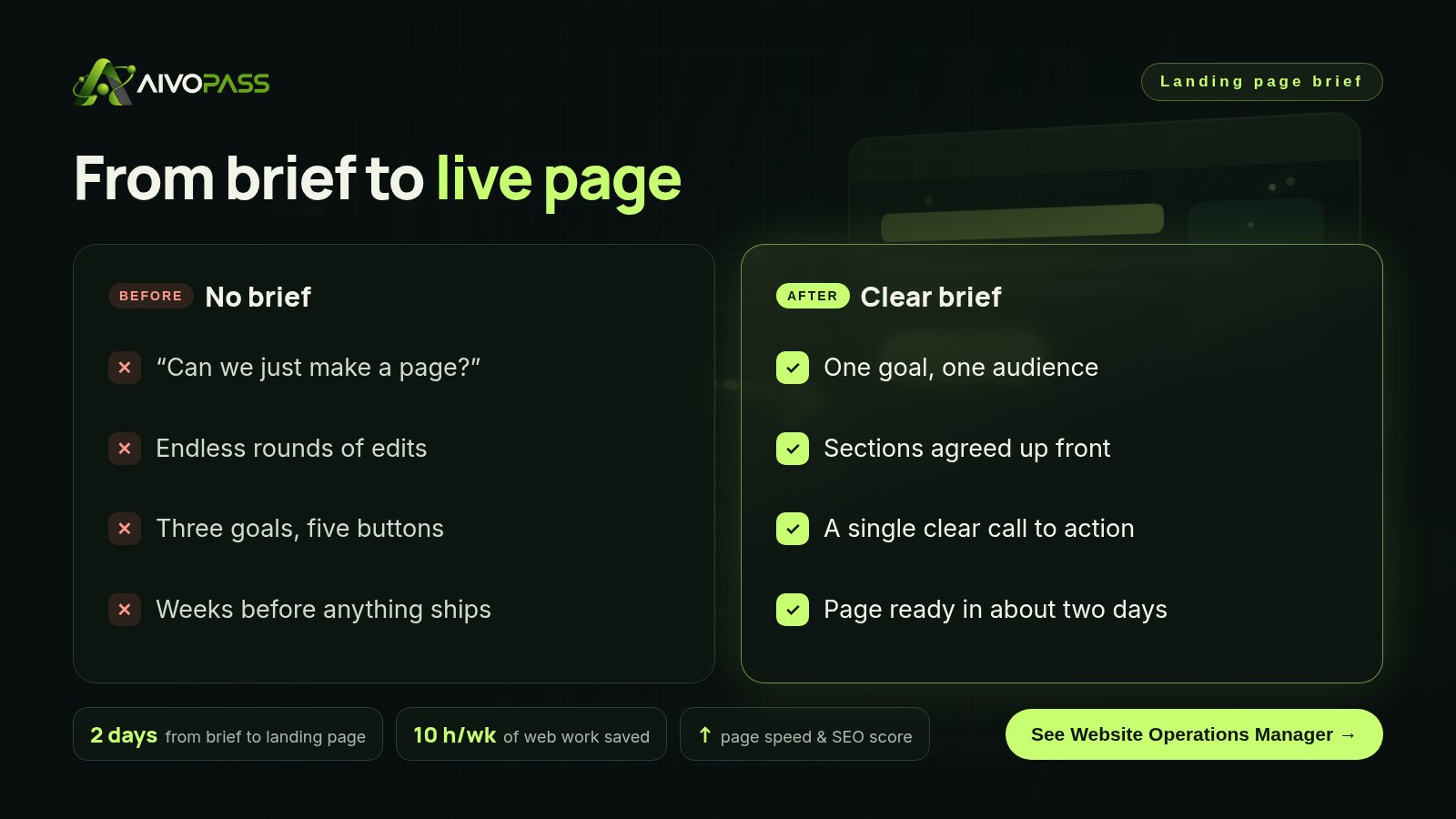
With that one page of decisions, the page can be prepared in about two days instead of drifting through weeks of opinions.
Before and after
| Area | Without a brief | With a brief and the agent |
|---|---|---|
| Timeline | Weeks of back and forth | About two days from brief to page |
| Focus | Several goals on one page | One goal, one call to action |
| Review | Opinions and guesswork | Checked against the brief, with screenshots |
| Quality | Speed and SEO checked late, if ever | Audited before and after launch |
Who it is for
In-house marketing teams
A Toronto marketing team running several campaigns each quarter can hand every new campaign a brief and get pages back for review, without waiting in a developer queue.
Companies with a code-based site
A Calgary software company whose site lives in a code repository often avoids small changes because they feel risky. The agent prepares changes for review so the site keeps moving.
Clinics, firms and online stores
An Ottawa clinic or a Montreal online store can launch seasonal or service-specific pages quickly, in English and French, with accessibility checked.
Results to expect
These figures are typical estimates, not guarantees. Timing depends on your site, the content you provide and how quickly reviews happen.
Pre-launch checks
- Message match: the headline repeats the promise of the ad or email that sent the visitor.
- One call to action: every button leads to the same next step.
- Mobile first: the form and button are easy to use on a phone.
- Speed: images are compressed and the page loads quickly.
- Accessibility: headings, contrast and image descriptions are in place.
- Tracking: you can measure the success number from your brief.
- Privacy and consent: forms explain how contact details are used, in line with Canadian privacy expectations.
Safety and control
- All changes and new pages are prepared for your review first.
- Screenshots of every change before anything is published.
- Minimum access to your repository or CMS.
- You can remove access at any time.
Website Operations Manager vs alternatives
| Option | Speed from brief | Audits included | Your effort |
|---|---|---|---|
| Web agency | Often weeks | Sometimes, as an extra | Meetings and reviews |
| In-house page builder | Depends on who has time | Rarely | High |
| Freelance developer | Days to weeks | Varies | Medium |
| Website Operations Manager | About two days | SEO, speed and accessibility | Write the brief and approve |
How setup works
- Choose Website Operations Manager and check out securely.
- Answer a few questions about your site, brand and the pages you need.
- We connect your repository or CMS and test with a small change.
- Go live: send briefs and review pages and updates as they arrive.
Related agents
Drive traffic to the new page with search ads, add real customer proof or polish the copy so it sounds human. Browse all marketing AI agents or read more marketing guides.
The bottom line
Knowing how to write a landing page brief saves more time than any design tool. Decide the goal, audience, offer, proof and call to action on one page, then let Website Operations Manager turn it into a reviewed, audited landing page in days.
Get Website Operations Manager Pages from a brief · Audits · Screenshots of every change
Frequently asked questions
What should a landing page brief include?
The goal of the page, the target audience, the offer, the main objections, the proof you can show, the sections in order, one call to action and how you will measure success.
How long should a landing page brief be?
One page is enough. If the brief needs more, the page is probably trying to do too many jobs.
Does Website Operations Manager publish pages without approval?
No. It prepares the page for your review and sends screenshots of every change. Nothing goes live until you approve it.
What access does it need?
Access to your website repository or CMS. You can give a limited account and remove it at any time.
Who is it for?
Marketing teams and companies that update their website often, especially those with a code-based site or a busy CMS.
See Website Operations Manager in action.
Manages your website content and changes: ships updates for your review, runs evidence-based audits (SEO, speed, accessibility, conversion) and turns briefs into new landing pages.
We are the people who set up, connect and support AivoPass agents for businesses across Canada and beyond. Every guide is written from real setup work, reviewed by our specialists and updated when an agent changes.
- ✓ Done-for-you setup
- ✓ You approve every important action
- ✓ Secure PayPal checkout
- ✓ Built for Canadian businesses


