
How to Keep Your CRM Updated After Every Sales Call
A CRM is only as good as the notes that go into it, and post-call updates are the first thing busy reps skip. Here is how to keep your CRM updated after every call, without the busywork.
 AivoPass Editorial TeamReviewed by our agent setup specialists
Updated
Reading time4 min

To keep your CRM updated, record the same few fields after every call: deal stage, next step with a date, stakeholders, qualification answers and risks. Do it within minutes, while details are fresh. Call Follow-Up Writer turns each recorded call into CRM updates, a next-steps note and a follow-up email in your voice, and saves nothing without your OK.
Every sales manager has seen it: a pipeline review where half the deals have no next step, the stage has not changed in a month and the notes say “good call”. Learning how to keep your CRM updated is not about discipline speeches. It is about making post-call updates small, consistent and fast.
This guide lists the fields worth updating after every call, a five-minute routine and a manager checklist. It also shows how Call Follow-Up Writer turns each recorded call into CRM updates and a follow-up email for your approval.
See Call Follow-Up Writer Done-for-you setup · You approve every action
What does “keeping your CRM updated” mean?
Keeping your CRM updated means recording the outcome of every customer conversation within minutes: what changed, what happens next and when, who is involved and what could stop the deal. A current CRM makes forecasts reliable, handovers painless and follow-ups impossible to forget.
The fields that matter after every call
| Field | What to record | Why it matters |
|---|---|---|
| Deal stage | Move it only when the buyer took a real step | Honest pipeline and forecasts |
| Next step and date | One specific action with a date | Deals never stall silently |
| Stakeholders | Who attended and their role | Know who decides and who influences |
| Qualification fields | Answers to your framework questions | Spot weak deals early |
| Risks and objections | Concerns raised, in their words | Prepare the next conversation |
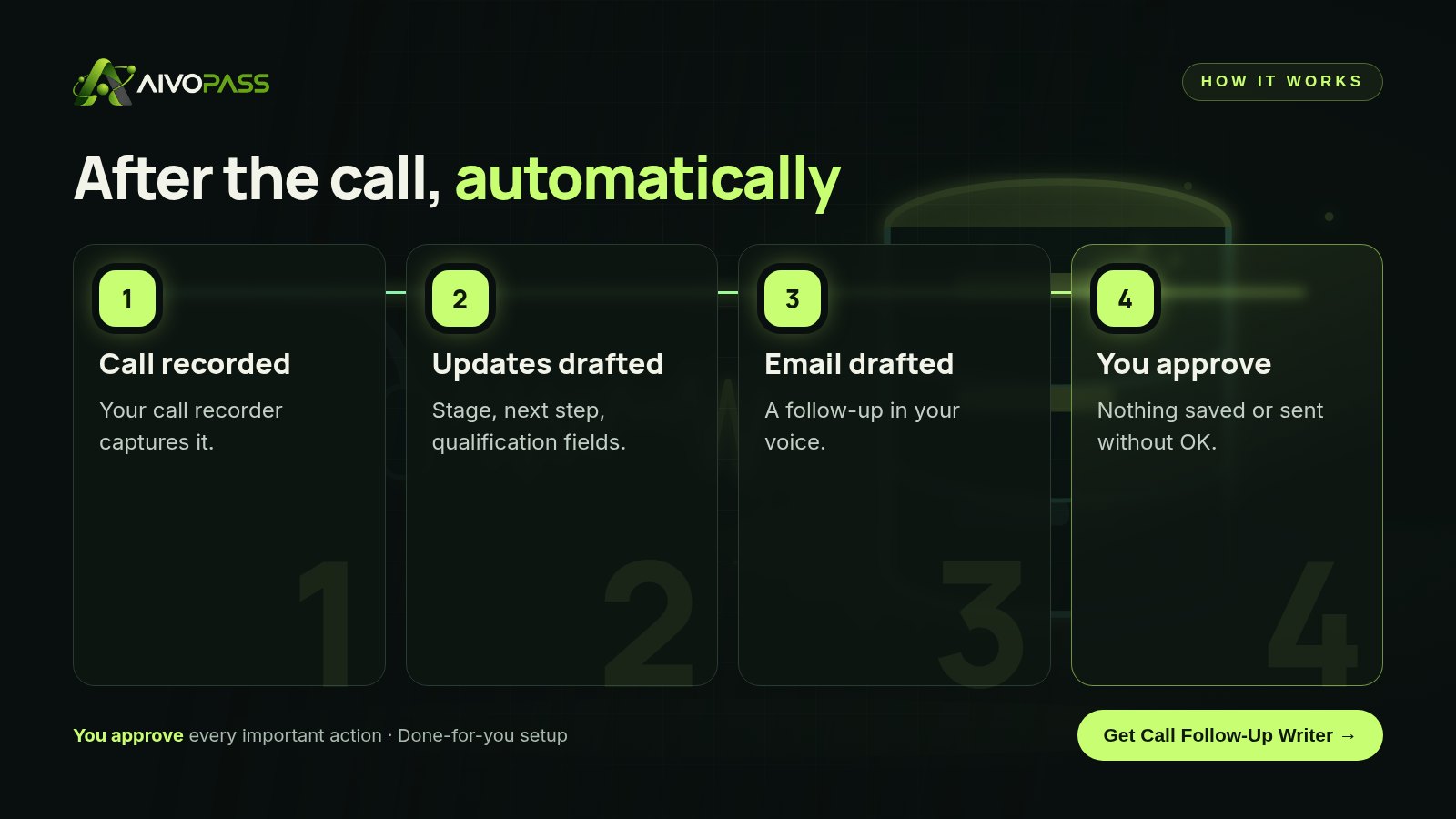
How Call Follow-Up Writer works
- Watches your call recorder automatically for new calls.
- CRM fields filled in, including your qualification fields.
- Next-steps summary for you and your team.
- Follow-up email in your voice, ready to review.
A five-minute post-call routine
- Minute 1: update the stage, only if the buyer actually moved.
- Minute 2: set the next step and a date in the calendar.
- Minute 3: add who attended and anything new about their roles.
- Minute 4: fill in qualification answers and note risks in the buyer’s words.
- Minute 5: send the follow-up email that confirms the next step.
With the agent, those five minutes become one: read the drafted updates and email, adjust anything, approve.
Before and after
| Moment | Manual updates | With Call Follow-Up Writer |
|---|---|---|
| Right after the call | Rushing to the next meeting | Updates drafted automatically |
| End of the week | Hour of catch-up from memory | Nothing left to catch up |
| Pipeline review | Missing next steps and stale stages | Every deal current |
| Customer follow-up | Sometimes forgotten | Every call followed up |

Who it is for
Sales reps
A Toronto rep with back-to-back calls keeps every deal current without staying late to type notes.
Account managers
An account manager in Vancouver keeps renewal history complete, so nothing is lost when accounts change hands.
Sales managers
A Calgary sales manager gets a pipeline review built on facts, not on memory.
Results to expect
These figures are typical estimates, not guarantees. Results depend on call volume, your CRM setup and how consistently updates are approved.
Example: a Calgary sales team
A six-person team selling software to construction firms found that a third of their open deals had no dated next step. Reps were updating the CRM on Friday afternoons, when Monday’s calls were a blur. After connecting their call recorder, each rep received drafted updates and a follow-up email within minutes of every call. Approving them became part of the walk back to their desk. Within a month, every open deal had a next step and the weekly pipeline meeting took half the time.
Manager checklist for CRM quality
- Every open deal has a next step with a date in the future.
- No deal has sat in the same stage for longer than your typical cycle without a note.
- Qualification fields are filled for every deal past the first meeting.
- Risks are recorded in the customer’s own words.
- Follow-up emails are logged against the deal.
Safety and control
- Nothing is sent or saved without your OK.
- Only the access needed: your call recorder and CRM.
- You can edit every update and email before approving.
- Revoke access at any time.
Call Follow-Up Writer vs alternatives
| Option | Timeliness | Consistency | Your effort |
|---|---|---|---|
| Manual entry after each call | Good, when it happens | Varies by rep | High |
| End-of-week catch-up | Late | Low, from memory | An hour or more |
| Sales assistant | Good | Good | Briefing and checking |
| Call Follow-Up Writer | Minutes after the call | Same fields every time | Review and approve |
How setup works
- Choose Call Follow-Up Writer and check out securely.
- Tell us your CRM, call recorder and qualification fields.
- We connect both and test on a few real calls with you.
- Go live: updates and follow-ups drafted after every call.
Related agents
Get coaching on your calls, keep an eye on pipeline health or prepare for the next meeting with a sourced brief. Browse all sales AI agents or read more sales guides.
The bottom line
Knowing how to keep your CRM updated comes down to the same few fields, recorded minutes after every call. Call Follow-Up Writer drafts them for you, along with the follow-up email, so your CRM stays current and your pipeline stays honest.
Get Call Follow-Up Writer CRM updates · Next steps · Follow-up in your voice
Frequently asked questions
Which CRM fields should be updated after every call?
At minimum: deal stage, the next step and its date, who was on the call, answers to your qualification questions and any risks or objections raised.
Why do CRMs go out of date?
Because updating them after calls is tedious and comes at the worst moment, when the rep is moving on to the next meeting. Updates get pushed to the end of the week and details are lost.
Does Call Follow-Up Writer change my CRM automatically?
It prepares the updates and the follow-up email, but nothing is sent or saved without your OK.
What does it need?
Your call recorder and your CRM. It watches the recorder for new calls automatically and prepares updates for each one.
Can it fill in our qualification framework?
Yes. It can fill the qualification fields your team uses, based on what was said on the call, for you to check before saving.
See Call Follow-Up Writer in action.
Turns each recorded call into a follow-up email in your voice, a next-steps note and CRM updates, including your qualification fields. Nothing is sent or saved without your OK.
We are the people who set up, connect and support AivoPass agents for businesses across Canada and beyond. Every guide is written from real setup work, reviewed by our specialists and updated when an agent changes.
- ✓ Done-for-you setup
- ✓ You approve every important action
- ✓ Secure PayPal checkout
- ✓ Built for Canadian businesses


