AI Fact-Checking Tool: Get Research Answers With Sources and Dates You Can Verify
Generic AI answers can sound confident and still be wrong. An AI fact-checking tool searches the live web and links every claim to a source and date, so you can check before you publish.
 AivoPass Editorial TeamReviewed by our agent setup specialists
Updated
Reading time4 min
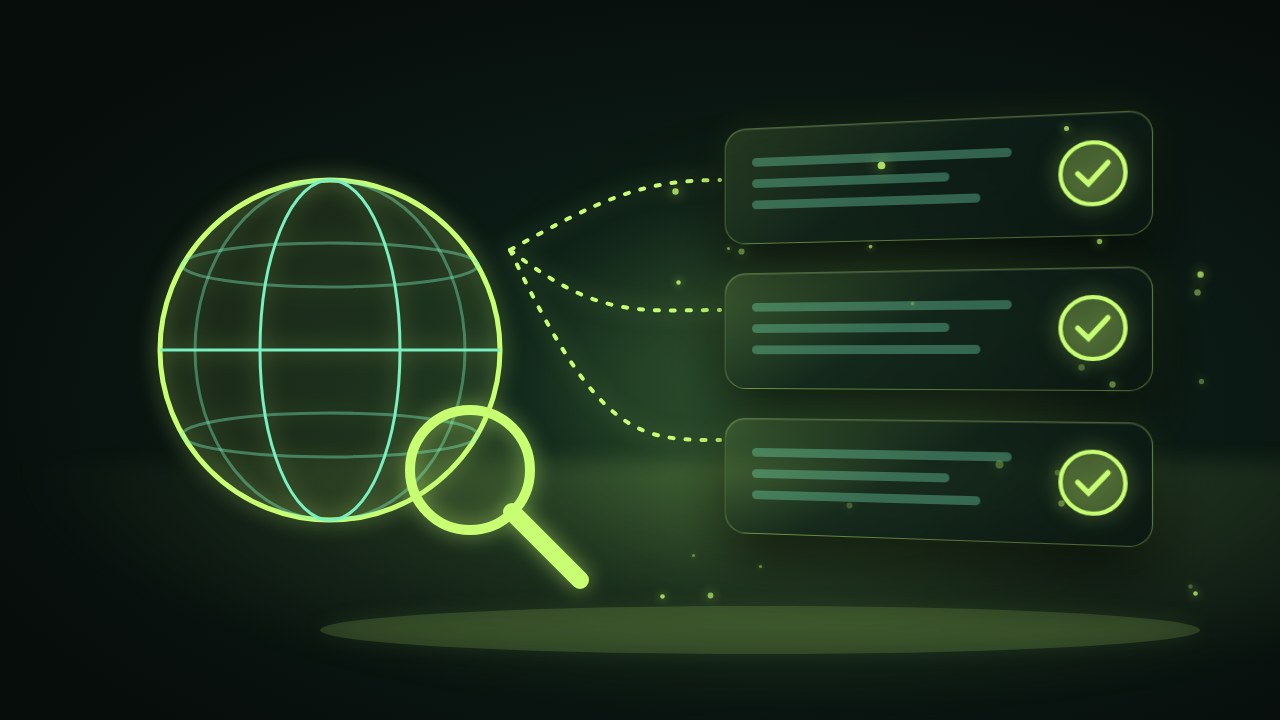
An AI fact-checking tool is a research assistant that searches the live web for each question and returns findings with a source and date for every claim. The Research and Fact-Check Desk flags conflicting or weak evidence and gives you a clear summary plus full notes, so you can verify before you rely on it.
A confident answer is not the same as a correct one. Many people have pasted a statistic from a chatbot into a report, only to find later that it was outdated, misquoted or simply invented. An AI fact-checking tool works differently: it searches the live web for every question and ties each claim to a source and a date, so you can see exactly where a fact came from before you use it.
This explainer covers why unsourced answers are risky, how sourced research works in practice and how the Research and Fact-Check Desk fits into the work of analysts, writers and founders.
See the Research and Fact-Check Desk Done-for-you setup · You approve every action
What is an AI fact-checking tool?
An AI fact-checking tool is a research assistant that answers questions using current web sources and shows its evidence. Each finding includes a link and a date, and the tool points out when sources disagree or when evidence is thin, so a person can make the final judgment.
What the Research and Fact-Check Desk does
- Live web search on every question: current information, not a fixed snapshot.
- Every claim linked to a source and date: click through and verify in seconds.
- Flags conflicting or weak evidence: you see where sources disagree.
- Clear summary plus full notes: a quick answer on top, detailed research underneath.

Why unsourced answers are risky
When a figure ends up in a client report, a press release or a board update, it carries your name. If it cannot be traced, you cannot defend it. Unsourced answers create three problems: you cannot check them quickly, you cannot tell how old they are and you cannot see whether other sources disagree. Sourced, dated research solves all three.
Before and after
| Research step | Generic chatbot or quick search | With the Fact-Check Desk |
|---|---|---|
| Finding information | One answer, unclear origin | Several current web sources |
| Checking freshness | Often impossible | A date on every finding |
| Spotting disagreement | Hidden | Conflicts flagged clearly |
| Writing it up | Copy, paste, hope | Summary plus full notes |
| Defending the fact later | Hard to trace | Source link ready to share |

Who it is for
Analysts and consultants
A strategy consultant in Toronto prepares market overviews for clients in retail and logistics. Each figure in her slides now carries a source and date, and she can answer “where is that from?” on the spot.
Writers and content teams
A content team in Vancouver publishes guides for small businesses. Before a post goes live, the team checks every statistic through the Fact-Check Desk and replaces anything outdated or weakly sourced.
Founders
A founder in Ottawa preparing a grant application needs reliable numbers on Canadian industry trends. Instead of trusting the first figure that appears, she gets dated sources and a note on where the data conflicts.
Results to expect
These figures are typical estimates, not guarantees. Time saved depends on the depth of each question, and sources should still be reviewed before you publish or decide.
A quick verification checklist
- Open the source for any figure you plan to publish.
- Check the date: is it recent enough for your purpose?
- Prefer primary sources such as official statistics and company announcements.
- Read the flagged conflicts and decide which source is more reliable.
- Note the source in your document so others can follow it.
- Re-run the question before a major publication if time has passed.
Example: checking a statistic before it goes out
A marketing writer in Winnipeg is drafting a post that claims a certain share of Canadian small businesses now use online booking. She asks the Fact-Check Desk. The answer shows two surveys with different figures, one from last year and one three years old, with links to both and a note that they measured slightly different things. She uses the newer figure, cites it and adds a sentence explaining the definition.
Safety and control
- Nothing to connect: it does not access your systems or files.
- Every claim is traceable to a public source and date.
- Weak and conflicting evidence is flagged, not smoothed over.
- You decide what to use and what to discard.
- Your questions are used only to produce your research.
Research and Fact-Check Desk vs alternatives
| Option | Sources shown | Freshness | Flags conflicts | Time needed |
|---|---|---|---|---|
| Web search by hand | Yes, but scattered | Current | Only if you notice | High |
| Generic chatbot | Rarely | Often unclear | No | Low, but risky |
| Research assistant or intern | Usually | Current | Sometimes | Briefing and waiting |
| Research and Fact-Check Desk | Yes, every claim | Dated, from the live web | Yes | Low |
How setup works
- Choose the Research and Fact-Check Desk and check out securely.
- Tell us your topics, preferred sources and the report format you like.
- We run a few real questions with you and adjust depth and style.
- You start asking questions and receiving sourced findings, usually within a few business days.
Related agents
Go deeper on markets and trends, or polish what you write. Browse all AI engineering and research agents or read more engineering and research guides.
The bottom line
Trust is built on facts you can trace. An AI fact-checking tool gives you research answers with sources and dates, and it tells you when evidence is weak. You still make the call, but you make it with the evidence in front of you.
Get the Research and Fact-Check Desk Sourced, dated answers · Nothing to connect
Frequently asked questions
What is an AI fact-checking tool?
It is a research assistant that searches the live web and links each claim in its answer to a source and date. The Research and Fact-Check Desk also flags conflicting or weak evidence.
Can it still make mistakes?
Any research can contain errors, which is why every claim comes with a source and date you can open and check. Weak or conflicting evidence is flagged rather than hidden.
Do I need to connect any tools?
No. You simply ask your questions. There is nothing to connect to your systems.
How long does setup take?
Usually a few business days. We agree on your topics, preferred sources and report format, then run a few test questions with you.
Who uses it?
Analysts, writers, consultants and founders who need facts they can trust in reports, articles, posts and decisions.
See Research & Fact-Check Desk in action.
A research desk that searches the live web for every question and returns sourced, dated findings, so you can trust what goes into your reports, posts and decisions.
We are the people who set up, connect and support AivoPass agents for businesses across Canada and beyond. Every guide is written from real setup work, reviewed by our specialists and updated when an agent changes.
- ✓ Done-for-you setup
- ✓ You approve every important action
- ✓ Secure PayPal checkout
- ✓ Built for Canadian businesses