
AI Event Planning Assistant: Run of Show, Guest List and Day-Of Checklist, All Sorted
Events fall apart on small details: a missed dietary need, a vendor arriving at the wrong time. An AI event planning assistant keeps every detail in one place, from run of show to day-of checklist.
 AivoPass Editorial TeamReviewed by our agent setup specialists
Updated
Reading time4 min

An AI event planning assistant turns your event details into a run of show, a guest list with dietary needs and a day-of checklist, then tracks vendors, guests and travel as plans change. The Event Producer keeps everything organised and never messages anyone without your approval.
Nobody remembers an event because the run of show was tidy. They remember it because everything simply worked: the caterer knew about the nut allergy, the speaker’s flight was tracked, the AV team arrived on time. An AI event planning assistant makes that kind of smooth day far more likely by keeping every detail organised from the first email to the last guest leaving.
Below is a practical countdown plan for an event, showing what the Event Producer handles at each stage, plus a comparison with the spreadsheets and email threads most planners rely on today.
Meet the Event Producer Done-for-you setup · You approve every action
What is an AI event planning assistant?
An AI event planning assistant is software that turns scattered event information into organised plans: a timeline, a run of show, a guest list and checklists. It keeps those plans up to date as details change, and drafts reminders for you to approve.
What the Event Producer does
- Run of show and timeline: minute-by-minute for the day, plus milestones leading up to it.
- Guest list with dietary needs: attendance, accessibility and meal requirements in one view.
- Vendor and travel tracking: arrival times, contacts, confirmations and flights.
- Day-of checklist: a clear list for you and your team, so nothing relies on memory.

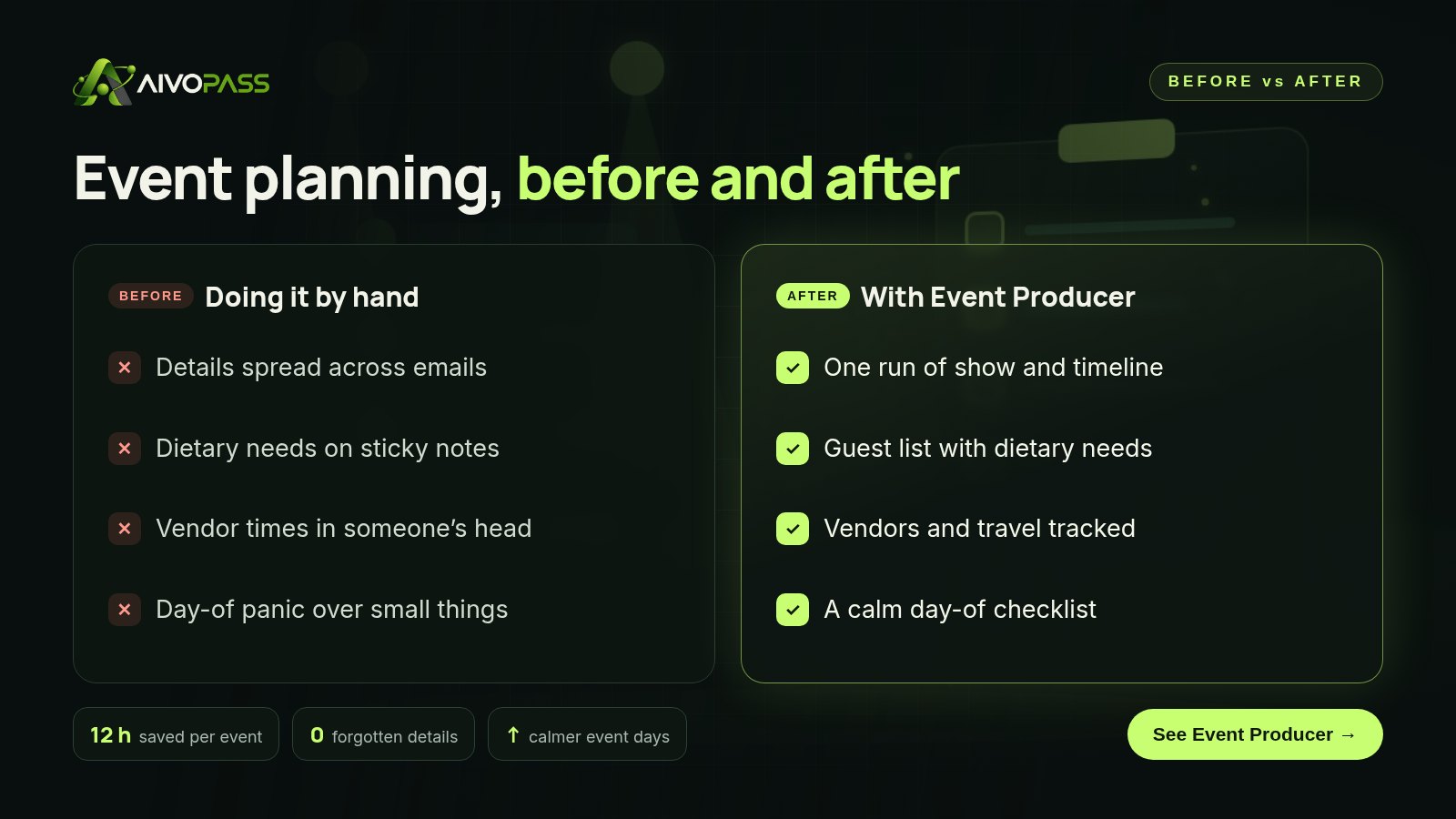
Before and after
| Planning area | Spreadsheets and email | With the Event Producer |
|---|---|---|
| Timeline | Rebuilt for every event | Generated from your details |
| Guest needs | Scattered in replies | One list with dietary needs |
| Vendors | Contacts in many threads | Tracked with times and status |
| Travel | Checked at the last minute | Flights and arrivals listed |
| Event day | Running around asking | A shared day-of checklist |
Who it is for
Event planners and agencies
A boutique event agency in Vancouver runs a dozen corporate events each season. Each event gets a consistent run of show and vendor tracker, so new coordinators can step in without a long handover.
Companies hosting their own events
An office manager in Ottawa organises the annual offsite, client dinners and a holiday party on top of her regular job. The Event Producer keeps travel for staff flying in from Halifax and Winnipeg organised, along with every dietary note.
Founders and executive teams
A startup in Calgary hosts a product launch for customers and investors. The founder shares the details once and gets a plan, a guest list and a day-of checklist the whole team can follow.
Results to expect
These figures are typical estimates, not guarantees. Time saved depends on the size of the event, the number of vendors and guests and how often plans change.
An event countdown plan
- Eight weeks out: share the event details; the timeline and milestone list are drafted.
- Six weeks out: vendors are added with contacts, deliverables and confirmation status.
- Four weeks out: the guest list fills in, with dietary and accessibility needs captured.
- Two weeks out: travel and arrivals are tracked; reminder drafts wait for your approval.
- Event week: the run of show is finalised and shared with your team.
- Event day: everyone works from the same day-of checklist.
Mistakes that make event days stressful
- Keeping vendor times in one person’s head. If that person is busy on the day, nobody knows when the florist arrives.
- Collecting dietary needs too late. Caterers need final counts well before the event.
- Forgetting travel buffers. A delayed flight from Halifax can push back a keynote unless it is tracked.
- Not sharing the run of show. Staff, speakers and vendors should all work from the same version.
Safety and control
- It never messages vendors or guests without your approval.
- Minimum access: your event details and guest list.
- Guest information is used only for planning your event.
- You can edit any plan or checklist at any time.
- Access can be revoked at any time.
Event Producer vs alternatives
| Option | Keeps details in one place | Updates as plans change | Effort for you |
|---|---|---|---|
| Spreadsheets and email | Partly | Manual | High |
| Generic project tool | Yes, if set up | Manual | Medium to high |
| Hiring extra coordinators | Depends on the person | Yes | Recruiting and briefing |
| Event Producer | Yes, plan, guests, vendors | Yes, from your updates | Share details and approve |
How setup works
- Choose the Event Producer and check out securely.
- Tell us about your events, formats you prefer and the details you track.
- We set up the plan for an upcoming event and refine the run of show and checklists with you.
- Your next event is organised end to end, usually within a few business days of starting.
Related agents
Add polished registration pages and VIP care. Browse all AI marketing agents or read more event and marketing guides.
The bottom line
Great events are built on details that nobody sees. An AI event planning assistant keeps those details organised, from the first timeline to the final checklist, so you can focus on the guests in front of you. You stay in charge of every message; the Event Producer keeps everything else in order.
Get the Event Producer Run of show and checklists · Nothing sent without you
Frequently asked questions
What is an AI event planning assistant?
It is an assistant that organises the details of your event. The Event Producer builds a run of show, guest list and day-of checklist, and tracks vendors, dietary needs and travel.
Will it contact vendors or guests by itself?
No. It never messages anyone without you. It can draft messages and reminders, but you approve before anything is sent.
What information does it need?
Your event details and guest list, such as date, venue, agenda, vendors and any guest information you already have.
How long does setup take?
Usually a few business days. We agree on the formats you like, build the plan for an upcoming event and refine it with you.
What kinds of events does it suit?
Corporate offsites, client dinners, conferences, launches, workshops and private celebrations, run by planners, agencies or companies hosting events.
See Event Producer in action.
Turns your event details into a run of show, guest list and day-of checklist, and tracks vendors, guests, dietary needs and travel. Never messages anyone without you.
We are the people who set up, connect and support AivoPass agents for businesses across Canada and beyond. Every guide is written from real setup work, reviewed by our specialists and updated when an agent changes.
- ✓ Done-for-you setup
- ✓ You approve every important action
- ✓ Secure PayPal checkout
- ✓ Built for Canadian businesses


