
AI Customer Support Email Replies: Draft Accurate Answers in Seconds, Send Only What You Approve
A full support inbox means slow replies and tired staff. AI customer support email replies give you an accurate, friendly draft for every question, and you decide what gets sent.
 AivoPass Editorial TeamReviewed by our agent setup specialists
Updated
Reading time4 min

AI customer support email replies are drafts written by an assistant that reads each customer question and finds the answer in your help docs. The Support Inbox Assistant drafts friendly, accurate replies in your tone directly in your support inbox, and it never sends an email without your approval.
Customers judge a business by how fast and how well it answers. Yet most support inboxes are a daily grind of the same questions: “Where is my order?”, “How do I reset my password?”, “Can I change my plan?”. AI customer support email replies take the grind out of it. For each email, an assistant finds the answer in your help docs and writes a friendly draft in your tone, ready for you to approve.
There are several ways to speed up support, and they are not equal. Below we compare the common options, explain why the Support Inbox Assistant keeps a person in the loop, and show how different industries use it.
See the Support Inbox Assistant Done-for-you setup · You approve every action
What are AI customer support email replies?
AI customer support email replies are drafts prepared by an assistant that reads an incoming customer email, finds the right answer in your own documentation and writes a reply. With an approval-based assistant, a person always reviews the draft before it goes out, so speed improves without losing accuracy or the human touch.
What the Support Inbox Assistant does
- Finds answers in your docs: your help centre, FAQs and policies are the source of truth.
- Drafts friendly, accurate replies: clear answers with the right links and next steps.
- Learns your tone: formal or casual, short or detailed, it matches how you write.
- Approval before sending: every draft waits for you. Nothing goes out on its own.

Canned responses vs chatbots vs draft assistants
Most teams have tried at least one of these. Here is how they compare in practice:
| Option | Personal to each email | Accuracy | Who sends | Typical risk |
|---|---|---|---|---|
| Canned responses (saved templates) | Low, same text for everyone | Good if kept updated | You | Feels robotic, templates go stale |
| Auto-reply chatbot | Medium | Varies, may guess | The bot, automatically | Wrong answers sent to customers |
| Outsourced support | Medium | Depends on training | An external team | Inconsistent tone and knowledge |
| Support Inbox Assistant | High, written for each question | Based on your help docs | You, after approval | Low: a person checks every reply |
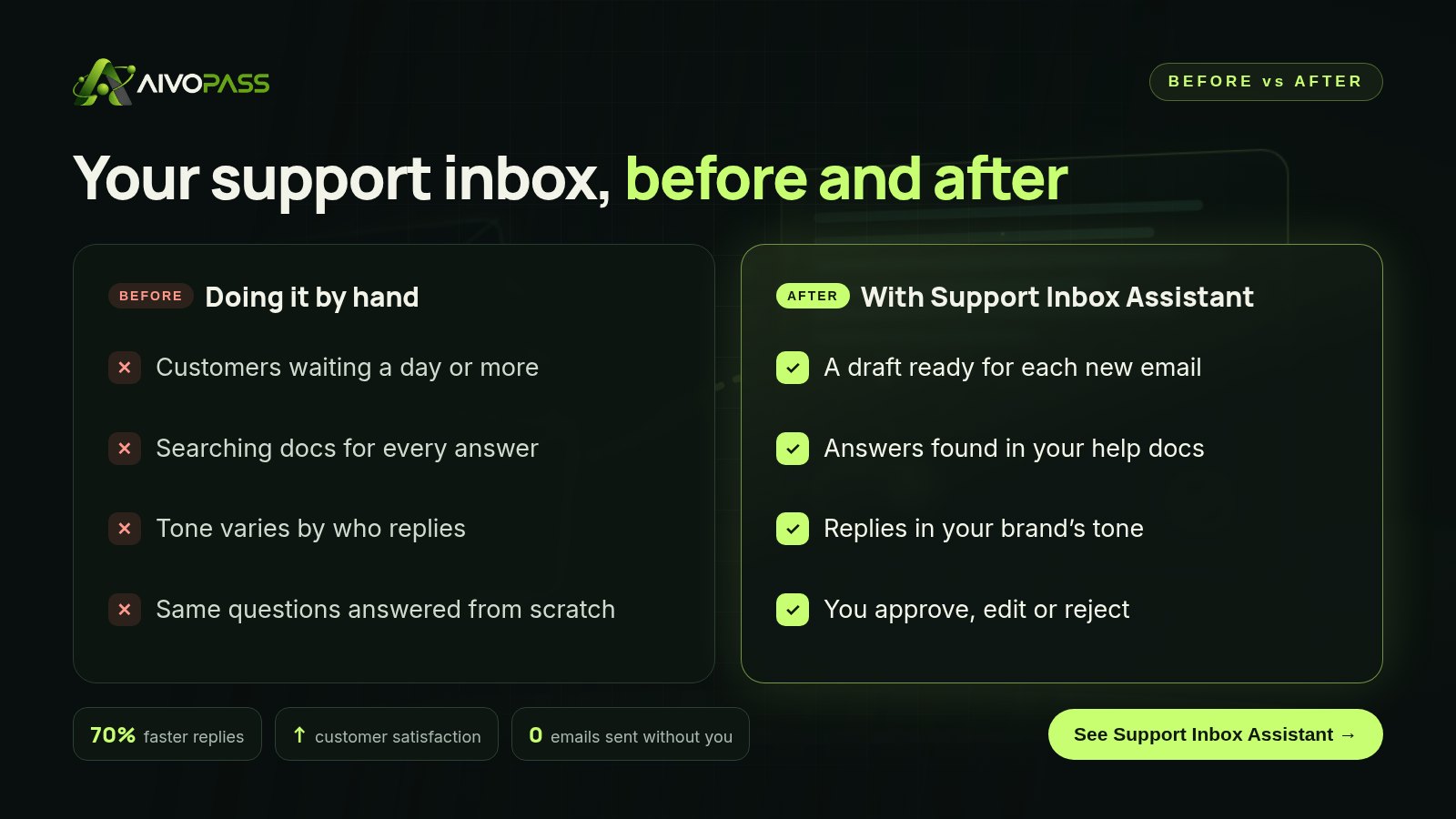
Before and after
Here is what typically changes in the inbox itself once drafts are waiting for you:
- Instead of opening a blank reply, you open a finished draft and check it.
- Instead of searching your help centre, the right link is already in the reply.
- Instead of each team member writing differently, replies sound like one brand.
- Instead of rushing at the end of the day, the queue moves steadily.
Use cases by industry
Online stores
A home goods online store in Montreal gets a wave of order, shipping and return questions after every sale. Drafts pull the right return policy and shipping times, in English or French to match the customer, and the owner approves them in batches between packing orders.
SaaS companies
A small software company in Toronto answers how-to and account questions. The assistant drafts step-by-step answers from the product guides, so the support lead spends her time on real bugs instead of password resets.
Service businesses
A tour operator in Halifax and a cleaning company in Calgary both receive booking questions and policy questions. Drafts answer with the current cancellation policy and availability details from their docs, keeping replies consistent across seasonal staff and time zones.
Results to expect
These figures are typical estimates, not guarantees. Results depend on how complete your help docs are, the mix of questions you receive and how quickly drafts are reviewed.
Mistakes to avoid when speeding up support
- Letting software send replies unchecked. One wrong refund promise costs more than the time saved.
- Ignoring outdated docs. Drafts are only as good as your help content; fix the pages customers ask about most.
- Forgetting tone. Share two or three replies you love so drafts sound like you.
- Approving without reading. A quick read is the safeguard; keep it.
- Not tracking common questions. Repeated questions are a sign to improve a product page or FAQ.
Safety and control
- Nothing is sent without you: every reply needs a person’s approval.
- Minimum access: your support inbox and help docs only.
- Answers come from your own documentation, not guesses.
- You can edit or discard any draft.
- Access can be revoked at any time.
How setup works
- Choose the Support Inbox Assistant and check out securely.
- Tell us about your support inbox, help docs and the tone you want.
- Our team connects the inbox, tests drafts on real past emails and tunes the tone with you.
- Drafts start appearing for new customer emails, usually within a few business days.
Related agents
Strengthen support with an internal knowledge assistant and follow-up help. See all AI sales agents or read more sales and support guides.
The bottom line
Fast support should not mean careless support. AI customer support email replies give you an accurate, friendly draft for every customer question, based on your own help docs and written in your tone. You stay the one who presses send, and your customers get better answers sooner.
Get the Support Inbox Assistant Drafts from your docs · Nothing sent without you
Frequently asked questions
What are AI customer support email replies?
They are reply drafts written by an assistant that reads each customer email and finds the answer in your help docs. The Support Inbox Assistant places the draft in your support inbox for you to review.
Will it ever send an email by itself?
No. It never sends an email without you. Every draft waits for a person to approve, edit or discard it.
How does it know our answers and tone?
It searches your help docs for each answer and learns your tone from your past replies and the guidelines you share during setup.
How long does setup take?
Usually a few business days. We connect your support inbox and help docs, test drafts on real past emails and adjust the tone with you.
Is it a fit for a small team?
Yes. It is built for support teams, online stores and SaaS companies, including one- or two-person teams who answer customers alongside other work.
See Support Inbox Assistant in action.
Finds the right answer to each product question and drafts a reply for your support inbox. It never sends an email without you.
We are the people who set up, connect and support AivoPass agents for businesses across Canada and beyond. Every guide is written from real setup work, reviewed by our specialists and updated when an agent changes.
- ✓ Done-for-you setup
- ✓ You approve every important action
- ✓ Secure PayPal checkout
- ✓ Built for Canadian businesses


